The best arlo pro 5s for detached art studios setup combines the camera's 2K HDR sensor with dual-zone motion alerts, color night vision, and a SmartHub for local backup so canvases, kilns, and finished pieces stay watched from dusk to dawn. Mount one Pro 5S at the studio door covering the threshold and entry path, anchor a second on the rear elevation overlooking the supply window, and tune the activity zones tight to ignore swaying branches. Pair the rig with a low-power secondary camera for redundancy, route alerts through a dedicated overnight profile, and you get reliable coverage without flooding your phone with raccoon alerts.
Why the Arlo Pro 5S Fits a Detached Studio Better Than Most 2026 Cameras
Top Picks
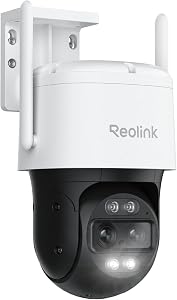
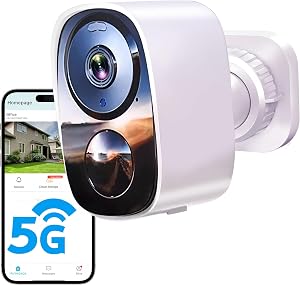
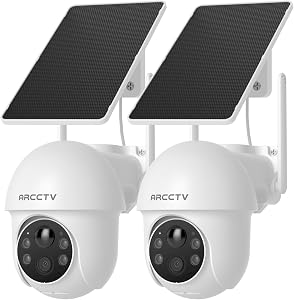
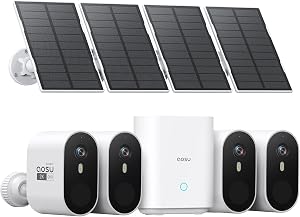
A detached art studio has its own risk profile. It usually sits beyond the reach of your main home Wi-Fi, holds disproportionately valuable contents per square foot (original works, professional cameras, archival paper, expensive pigments), and most break-ins happen between 1 a.m. and 5 a.m. when the building is dark and unattended. The Arlo Pro 5S addresses all three at once. Its dual-band Wi-Fi 6 radio pulls a usable signal from a mesh node 60-80 feet away through a single exterior wall, the 2K HDR sensor preserves detail in mixed lighting (street lamps spilling over a fence, motion-triggered floodlights), and the integrated spotlight plus color night vision turn most overnight captures from grainy silhouettes into evidence-grade footage.

The other thing that makes the Pro 5S right for studios specifically is the optional SmartHub. With an Arlo SmartHub or Base Station added, recordings save locally to a microSD or USB drive in parallel with cloud uploads. For an artist who can't afford to lose a clip if internet drops or Arlo Secure has a bad night, that local copy is the whole point. Most cheaper cameras can't do this.
How to Configure the arlo pro 5s for detached art studios Overnight
1. Place cameras at the two highest-value sightlines
Walk the studio perimeter at midnight with your phone flashlight off. Note where you can see the door, any window taller than chest height, and the path between the studio and where you'd park a getaway vehicle. Those are your two mounting points. The Pro 5S has a 160-degree field of view, so one camera typically covers a door plus the adjacent window if you mount it at 8-9 feet and tilt down about 15 degrees.
2. Set night mode to color when lit, IR when dark
In the Arlo app, open device settings, then Video Settings then Night Vision. Choose the color option and enable the integrated spotlight to trigger only on detected motion of a person or vehicle, not animal, not other. This keeps the spotlight from blasting on every time a raccoon walks the fence line while preserving full-color faces and clothing details when something that matters trips the zone.
3. Carve activity zones around the door and window only
Trees swaying, headlights sweeping the front road, and rain on the lens all generate false motion. Define a polygon activity zone tight around the door frame, a second around the window, and exclude everything else. Run the camera in this configuration for 48 hours, check the captured clips, and tighten the polygon until nuisance triggers stop.
4. Build an overnight notification profile
Arlo Modes let you define schedule-based behavior. Create a Studio Overnight mode that is active 10 p.m. to 6 a.m., set notifications to High Priority so they bypass Do Not Disturb, enable the siren on person detection in the zone closest to the door, and disable notifications outside that zone. This way you only get woken up for events that genuinely matter.
5. Add the SmartHub for local backup
If a Wi-Fi outage or Arlo cloud incident eats a clip, you've lost the only evidence. The optional SmartHub takes 60 seconds to pair, accepts a microSD up to 256 GB, and records continuously when armed. Set retention to 14 days and you've got a rolling local archive you control.
Best Complementary Cameras to Pair With Your Arlo Pro 5S Studio Setup
The Pro 5S handles the high-value entry shots. For full coverage you usually want one or two budget cameras watching lower-priority angles like the rear lane or the path from the main house to the studio. These run on battery, don't need professional installation, and provide redundancy if the Pro 5S ever fails. Here are the picks that actually fit this role for an arlo pro 5s for detached art studios deployment.

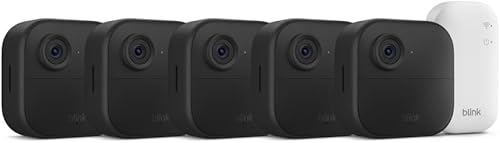
Blink Outdoor 4 XR Wireless Camera (4-cam kit)
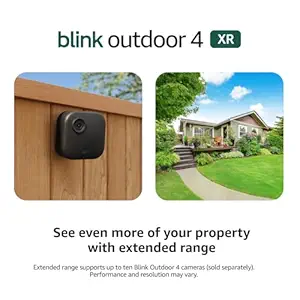
This is the obvious companion for the Arlo Pro 5S in a detached-studio setup. The XR version of the Outdoor 4 has extended Wi-Fi range, so a single Sync Module 2 placed at the back of your main house can typically reach a studio 100+ feet across the yard. The four-camera kit lets you cover the studio's blind sides plus the path to the main house without buying a second package. Two-year battery life means you replace the AA lithiums roughly every other winter. Pair it with the Pro 5S for layered coverage at a third the per-camera cost. Check the Blink Outdoor 4 XR 4-cam kit on Amazon.
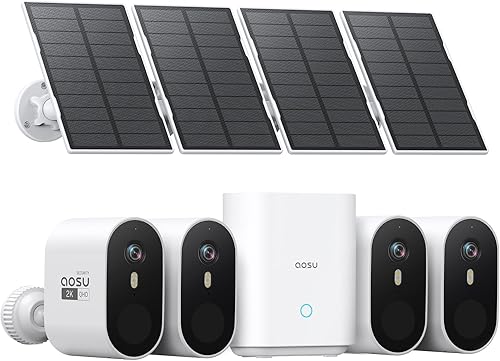
aosu T2 Pro Wireless Outdoor Security Camera (3K Dual Cam)
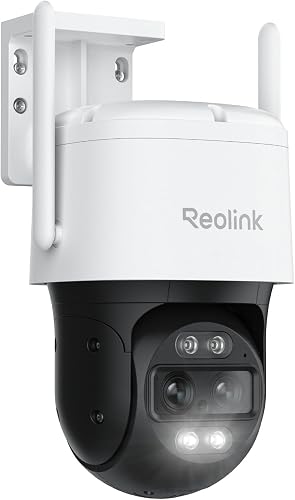
If you want one supplemental camera that can independently watch both the door and the adjacent driveway approach at the same time, the aosu T2 Pro is the only pick on this list with a true dual-lens design. The wider sensor handles wide-angle scene context, the secondary sensor zooms on the action. For a detached studio sitting at the end of a long driveway, that combo means you see who's approaching long before they reach the building. 3K resolution gives you legible license plates at typical 25-30 foot driveway distance. View the aosu T2 Pro Dual Cam on Amazon.
Blink Outdoor 2K+ Wireless Smart Security Camera
The 2K+ generation is the sweet spot for an interior studio camera pointed at your most valuable inventory shelf or storage rack. The bump from 1080p to 2K resolution is what lets you actually read a manufacturer label on a paint tube or see whose hand reaches into the frame. Set it on a high shelf indoors, scheduled to arm only overnight, and you've got an evidence-grade interior shot for when the entry-point cameras flag something. See the Blink Outdoor 2K+ on Amazon.
Blink Outdoor 4 Wireless Smart Security Camera (single)
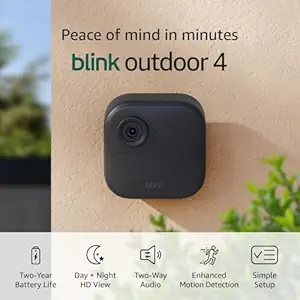
For a one-off add-on, say you already have a Sync Module 2 from a previous kit and just need a single camera covering one extra angle like a side window or skylight access point, the standalone Outdoor 4 is the cheapest way to do it. Same two-year battery, same person-detection through Blink Subscription Plus, smaller upfront cost. Find the Blink Outdoor 4 single camera on Amazon.
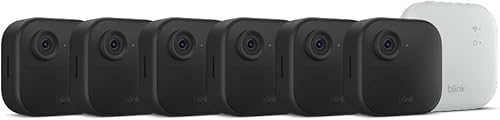
Blink Outdoor 4 Wireless Security Camera System
The multi-cam Outdoor 4 system comes with the Sync Module 2 pre-included, which matters if you don't already own one. For a studio that needs three angles covered (door, rear, driveway) on a budget, this kit is the most economical entry point. It pairs cleanly with an Arlo Pro 5S handling the single highest-priority shot. View the Blink Outdoor 4 system on Amazon.
Quick Comparison: Companion Cameras for an Arlo Pro 5S Studio Setup
| Camera | Resolution | Best Role | Notable Strength |
|---|---|---|---|
| Blink Outdoor 4 XR (4-pack) | 1080p | Full perimeter | Extended Wi-Fi range to outbuilding |
| aosu T2 Pro Dual Cam | 3K | Driveway plus door | Two lenses, simultaneous wide and zoom |
| Blink Outdoor 2K+ | 2K | Indoor inventory shot | Reads labels and details at close range |
| Blink Outdoor 4 (single) | 1080p | One extra angle | Cheapest single-camera add-on |
| Blink Outdoor 4 System | 1080p | 3-angle budget kit | Sync Module 2 included |
Wi-Fi, Power, and Connectivity Notes for a Detached Studio
Even the best arlo pro 5s for detached art studios install fails if Wi-Fi doesn't reach. Three options work in 2026: a mesh node placed in a window facing the studio, an outdoor-rated point-to-point bridge, or running buried Cat6 if you can trench. The mesh approach is easiest, costs about $80 for a single satellite, and gets the job done for studios within 80 feet of the main house. For longer runs, a Ubiquiti or TP-Link outdoor bridge gives you a gigabit pipe at a few hundred feet.
For power, the Pro 5S runs on its internal rechargeable battery for roughly 4-6 months in heavy night use, but a small solar panel (Arlo sells a first-party model with a magnetic connector) keeps it topped up indefinitely on south-facing exposures. Indoors-only studio cameras can plug into a USB wall adapter and stay live forever.
If you are shopping the broader category, our guides to outdoor cameras for outbuildings and cameras for low-bandwidth locations walk through the bridge and satellite options in more depth. The video doorbell pairing for detached properties guide covers what to mount at the studio door if you also want intercom and chime.
Frequently Asked Questions
Does the Arlo Pro 5S need a hub to work overnight in a detached studio?
No, the Pro 5S connects directly to your Wi-Fi and works without any hub. However, adding the optional Arlo SmartHub or Base Station gives you local microSD recording, which is the recommended setup for a detached building because it preserves footage even if your internet drops overnight or Arlo Secure has a service interruption.
How far from the main house can the Arlo Pro 5S reach without a Wi-Fi extender?
Reliably about 30-50 feet through a single exterior wall, more in line-of-sight conditions. Beyond that you'll want a mesh satellite, a Wi-Fi extender, or an outdoor point-to-point bridge. The Pro 5S supports dual-band Wi-Fi 6 so it grabs the strongest available signal automatically.
Will the spotlight on the Pro 5S disturb a neighbor's window overnight?
It can if you mount it carelessly. The integrated spotlight is bright and triggers on motion. Set it to person-only detection, narrow your activity zones away from any boundary fence, and angle the camera downward so the light cone lands on your own property. Test it from your neighbor's likely sightline before you commit to the mount.
Can I run the Arlo Pro 5S on solar power for an off-grid art studio?
Yes. Arlo sells a first-party solar panel that connects via the camera's magnetic charging cable and provides indefinite power on a south-facing wall. Third-party panels also work as long as they match the 5V/2A spec. This is the standard setup for an unheated studio where you don't want to dismount the camera every few months to recharge.
What is the best alternative to the Arlo Pro 5S if I want a cheaper studio camera?
The Blink Outdoor 4 XR 4-cam kit is the closest budget alternative. You give up resolution (1080p vs 2K), HDR, and the integrated spotlight, but you gain two-year battery life, lower per-camera cost, and the extended range that suits a detached building. Many studio owners run the Pro 5S as the primary entry-shot camera and pad out perimeter coverage with the Blink kit.
How long does Arlo Pro 5S battery last with overnight recording?
Real-world battery life with overnight motion-triggered recording, the spotlight set to person-only, and tight activity zones lands around 4-6 months. If you leave the spotlight on every trigger or run wide zones that capture every passing animal, expect closer to 8-10 weeks. The solar panel eliminates the recharge cycle entirely.
Should I use Arlo Secure or just rely on local SmartHub recording?
Use both. Arlo Secure (roughly $4.99 to $12.99 per month in 2026 depending on tier) handles person and vehicle detection, cloud storage, and notifications. The SmartHub microSD gives you a local copy. Cloud-only means a dropped connection loses the clip, local-only means a stolen camera or hub loses the clip. The combination is what protects an unattended studio.
Key Takeaways
- Choosing the right arlo pro 5s for detached art studios means matching capacity and output ports to your actual devices
- Always check actual watt-hours (Wh), not just watts — runtime depends on Wh, not peak output
- Also covers: arlo pro 5s art studio camera
- Also covers: overnight art studio surveillance arlo
- Also covers: detached studio security arlo pro 5s
- Compare price-per-Wh across models to find the best value for your budget