If you rent an apartment and your door has no peephole, the Google Nest Doorbell Battery for apartment no peephole install is the cleanest, most landlord-friendly way to see who is at your door without drilling, running wires, or modifying the slab. It mounts to the door frame with removable adhesive or a no-drill bracket, runs on an internal rechargeable battery, and streams to the Google Home app on any phone. For renters who can't tap into existing wiring or carve out a new peephole, this is the simplest 2026 fix — below we cover renter-safe mounting, what to pair it with, and which battery cameras supplement coverage on balconies and shared hallways.
Why the Nest Doorbell (Battery) fits apartments with no peephole
Top Picks
Most apartment doors are hollow-core wood or steel slabs with no provision for a doorbell. Older smart doorbells assumed wired chimes and a pre-cut peephole — neither is realistic in a rental. The Nest Doorbell (Battery) sidesteps both problems. It weighs about 7 ounces, charges through USB-C, and uses a small wedge-shaped bracket that adheres to a frame, jamb, or trim using 3M VHB tape instead of screws.

- No drilling required. The bracket bonds with removable 3M VHB or Command Picture Hanging Strips on most painted frames, brick, or stucco.
- Internal battery. Expect 1 to 6 months per charge depending on traffic. Recharge via USB-C in about five hours.
- No peephole needed. The camera sees the hallway or vestibule from outside, so a glass peephole insert is unnecessary.
- HDR 960×1280 portrait video. The 3:4 aspect ratio captures visitors head-to-toe, which is critical in tight apartment hallways where guests stand close to the door.
- On-device detection. Person, package, and animal alerts with three hours of free event history; longer history needs Nest Aware.
Renter-safe install: mounting without drilling or peephole changes
Drilling almost always violates a lease. Here are three install paths that hold a 7-oz doorbell through years of opens and slams without damaging the door or frame.
Option 1 — Door frame adhesive mount
This is the cleanest path. Press a strip of 3M VHB Heavy Duty Mounting Tape onto the back of the Nest bracket, peel the backing, and press it onto a clean section of the door frame at chest height — roughly 48 inches off the ground. Hold for 30 seconds. The tape reaches full bond strength after 72 hours and survives temperature swings from Texas summers to Minnesota winters. At move-out, dental floss slides under the bracket to release the adhesive without lifting paint.
Option 2 — Over-the-door bracket
For unpainted, glossy, or rough door frames where VHB struggles, an over-the-door wreath bracket slips over the top of the door and hangs the doorbell in front of the slab at eye height. The doorbell faces outward; the only requirement is at least 1 inch of clearance between the door's top edge and the frame. This option is fully reversible and ideal for steel apartment doors where adhesive can release in summer heat.
Option 3 — No-peephole side-jamb mount
If your door has no peephole, you don't need to add one. Mount the bracket on the latch-side jamb (the side away from the hinges) so the camera faces straight down the hallway. The 3:4 portrait field of view still captures anyone standing at the door because the lens is wide enough to see across the door's width from the side. This is the most discreet option for studio and one-bedroom layouts.
Coverage gaps the Nest Doorbell can't fill
A door-mounted camera — including any Google Nest Doorbell Battery for apartment no peephole install — sees who is directly in front of your unit. It does not see the hallway approach, a balcony, the ground-floor parking-lot side, or a shared exterior corridor. Many apartment renters pair the Nest Doorbell with one or two battery-powered cameras to fill those gaps — again, without wires or holes. Below are the battery cameras that pair well in 2026: all wire-free, all on internal batteries, all mountable with adhesive or 3M strips. For deeper background on alternatives at the door itself, see our guide to video doorbells without drilling.
Battery camera comparison for apartment use (2026)
| Camera | Resolution | Battery life | Cameras in box | Best for |
|---|---|---|---|---|
| Blink Outdoor 4 | 1080p HDR | 2 years | 1 | Single balcony or hallway view |
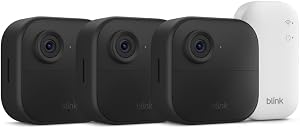
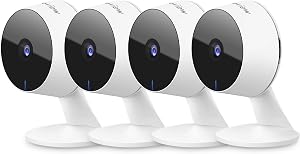
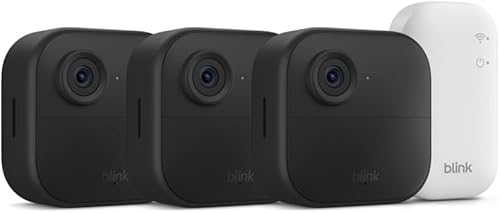
| Blink Outdoor 4 XR (4-pack) | 1080p HDR | 2 years | 4 | Multi-room or whole-unit coverage |
| Blink Outdoor 2K+ | 2K | 2 years | 1 | Identifying visitors at a distance |
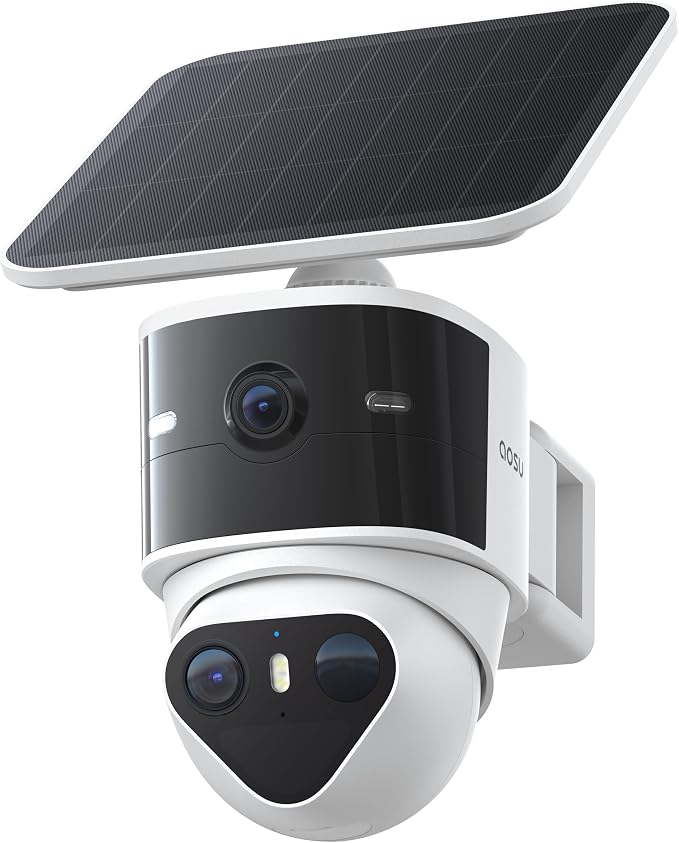
| aosu T2 Pro | 3K dual-lens | 180 days | 1 (dual cam) | Wide hallway plus balcony in one device |
Best supplementary single camera — Blink Outdoor 4
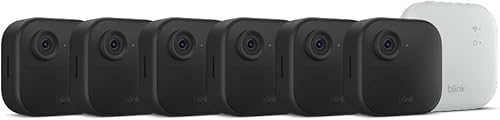
The standard Blink Outdoor 4 is the easiest add-on for a Nest Doorbell setup. It runs on two AA lithium cells for up to two years, mounts with adhesive on the included swivel bracket, and shares the Alexa ecosystem — useful if you already use an Echo for chime announcements. Place it inside a window facing the hallway, on a balcony rail with the included clamp, or above your apartment door looking down the corridor. Person detection is included; cloud recording requires the optional Blink Subscription Plan, but a Sync Module 2 plus a flash drive enables local storage with no monthly fee.
Check the Blink Outdoor 4 on Amazon

Best for multi-room apartments — Blink Outdoor 4 XR (4-pack)
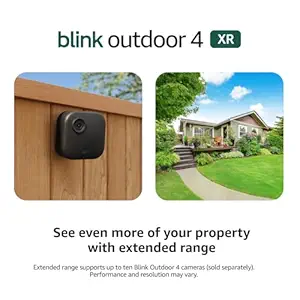
If you live in a two-bedroom or have a balcony plus a back door, the 4-pack version covers every angle without buying cameras a la carte. The XR variant adds a stronger 2.4 GHz radio that punches through interior walls — important in concrete-construction apartment buildings where signal drops near elevators and stairwells. All four cameras share the same battery life (two years on lithium AAs) and pair to a single Sync Module 2, so one USB stick can store events from every camera locally with no subscription needed.
View the Blink Outdoor 4 XR 4-pack on Amazon
Sharpest image for identifying visitors — Blink Outdoor 2K+
When the goal is reading a delivery driver's badge or making out a face at the end of a long shared corridor, 1080p starts to mush. The Blink Outdoor 2K+ doubles pixel count to 2K and adds color night vision, both of which are noticeably better in low-light apartment hallways than the standard Outdoor 4. Battery life still lands around two years on lithium AAs because Blink keeps the camera asleep until motion triggers it. Pair it with the Nest Doorbell at the door and you have a redundant identity-capture chain for any porch-pirate package theft you might encounter.
Check the Blink Outdoor 2K+ on Amazon
Dual-lens for wider coverage — aosu T2 Pro
The aosu T2 Pro is the unusual pick on this list because it ships with two lenses on a single housing — a wide-angle and a telephoto — and can record both simultaneously to a microSD card. For a renter with a Nest Doorbell at the front door but a balcony at the back, the T2 Pro covers both the balcony rail and the alley below from a single mounting point. Battery life is around 180 days versus two years for Blink, but you gain local 3K storage with no subscription. Compare it head-to-head with the Blink line in our battery-powered camera roundup for renters.
View the aosu T2 Pro on Amazon
Setting up the Nest Doorbell Battery in an apartment
The setup walkthrough in the Google Home app assumes a single-family home, so apartment renters often miss two important steps. First, before mounting, charge the doorbell to 100% indoors — this takes about 5 hours from empty over USB-C. Second, during Wi-Fi setup, pick your 2.4 GHz SSID specifically; many apartment routers merge bands and the Nest Doorbell will refuse a 5 GHz-only network. Once paired, run a brief motion-zone test from the planned mount point with the bracket loosely held in place. If the field of view captures elevators, stairwells, or a neighbor's door, edit the activity zones in the app to mask those areas — this prevents excessive alerts and is what your neighbors will quietly thank you for.
Picking a chime for an apartment
The original wired Nest Doorbell rang the in-wall chime; the battery version does not (it has no chime wire). Inside an apartment, you have three options. Use a Google Nest Mini or Nest Hub as a chime — both speak doorbell alerts aloud and cost under $50. Use an Echo speaker via the Alexa skill — this is what most Blink users do anyway. Or rely on your phone, which is the lowest-effort path if you're often within reach of it. We compare chime options in our broader 2026 smart home security camera guide.
Frequently Asked Questions
Can I install a Google Nest Doorbell Battery without drilling holes in my apartment door?
Yes. A Google Nest Doorbell Battery for apartment no peephole install uses a wedge-shaped bracket that bonds to a door frame with 3M VHB tape or Command Picture Hanging Strips. Neither requires drilling, and both are fully removable at move-out with dental floss or a thin plastic card. Avoid sticking the bracket directly to the door slab itself, since repeated slamming weakens any adhesive bond — the frame or trim is far more stable.
Will the Nest Doorbell Battery work if my apartment door has no existing peephole?
Yes — in fact this is the scenario the battery model was designed for. The doorbell's lens replaces the peephole entirely; it sees outward from above or beside the door and streams to your phone. You will never need to drill a peephole hole, and you can use the Nest's portrait field of view to see packages on the floor and visitors' faces in a single frame, which a traditional peephole cannot do.
How long does the Nest Doorbell battery last in a busy apartment hallway?
Google rates the battery for 1 to 6 months per charge. In a busy mid-rise hallway with neighbors walking past every few minutes, expect roughly 30 to 45 days between charges. In a quieter building with infrequent passersby, three to five months is realistic. Tightening the activity zone to a narrow strip directly in front of your door — instead of the full hallway — is the single biggest battery-life lever you have.
Does my landlord need to approve a battery doorbell mounted on the door frame?
Most leases require approval for anything attached to the door itself, but trim and frame mounts with removable adhesive usually fall under standard wall-hanging clauses. The practical answer is to use 3M Command Strips or VHB tape that leaves no residue, photograph the install for your own records, and remove it cleanly at move-out. If you want a no-question install, the over-the-door bracket option leaves zero adhesive contact and is universally lease-safe.
Can I take the Nest Doorbell with me when I move out of the apartment?
Yes. Factory-reset the doorbell from the Google Home app before removing it, then peel the bracket off the frame using dental floss. The doorbell pairs to a new home network in about three minutes, and your Nest Aware subscription (if you have one) follows your Google account, not the device — your event history carries over to the next apartment without issue.
Does the Nest Doorbell Battery work without Wi-Fi in apartment buildings?
No. The doorbell needs continuous 2.4 GHz Wi-Fi to push notifications and record events. If your apartment building has spotty Wi-Fi in the entryway, place a mesh node within 20 feet of the door before mounting — a TP-Link Deco, eero, or Google Nest Wifi node all work. The doorbell will buffer about 30 seconds of video locally if Wi-Fi drops mid-event, but persistent outages will mean missed alerts.
What is the difference between the Nest Doorbell Battery and the Nest Doorbell Wired (2nd gen)?
The wired version requires 16-24 VAC doorbell transformer wiring — almost never present in an apartment. The battery version runs entirely off its internal cell, so it is the only practical Nest Doorbell choice for renters. Image quality is comparable on both; the wired model adds 24/7 continuous recording with Nest Aware Plus, which the battery model cannot match because that recording mode would drain the cell in hours.
Key Takeaways
- Choosing the right Google Nest Doorbell Battery for apartment no peephole means matching capacity and output ports to your actual devices
- Always check actual watt-hours (Wh), not just watts — runtime depends on Wh, not peak output
- Also covers: apartment doorbell battery Nest
- Also covers: Nest Doorbell renter no drill
- Also covers: no peephole apartment camera
- Compare price-per-Wh across models to find the best value for your budget