Setting up the Ring Stick Up Cam Pro for historic rentals means working around landlord rules, plaster walls, ornate trim, and outlets that don't always meet modern code. The good news: this camera was practically designed for tenants. It runs on a rechargeable battery (no hardwiring required), magnetically mounts to a removable base, and can sit on a shelf or windowsill without a single hole. This 2026 guide walks through every renter-friendly mounting trick, the right power strategy for buildings with quirky electrical, and how to keep your security setup completely reversible at move-out.
Why historic rentals demand a different camera strategy
Top Picks
Buildings constructed before 1940 (and many before 1970) share a cluster of headaches that modern smart home gear ignores. Plaster-and-lath walls crumble when you drive screws into them. Brownstones, brick townhomes, and converted warehouses often have masonry exterior walls that require a hammer drill and masonry bits, neither of which most renters own or are allowed to use. Original woodwork — picture rails, crown molding, transom windows, paneled doors — is often protected by lease clauses or local historic preservation rules. And the electrical situation tends to be ungrounded two-prong outlets, knob-and-tube remnants behind the walls, or a single exterior receptacle shared with a porch light.
The best Ring Stick Up Cam Pro for historic rentals for your situation depends on how you plan to use it and where.
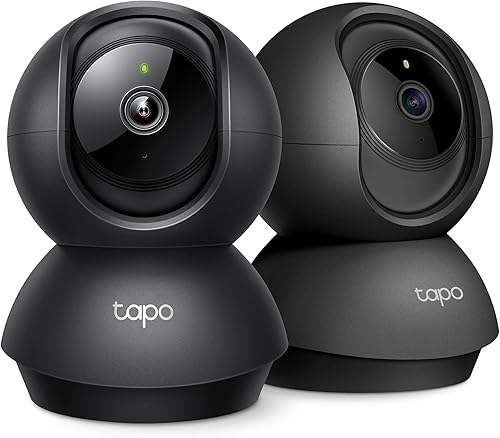

That's why the Stick Up Cam Pro is one of the few mainstream cameras that actually fits the brief. The battery-powered version requires no electrician, no drilling, and no permanent modification. It just needs a flat surface, a window ledge, or a removable adhesive mount — all of which are tenant-friendly and reversible. Pair it with the right mounting accessories and a backup wireless camera or two, and you can secure a vintage rental without ever opening a toolbox.
Choosing the right Stick Up Cam Pro configuration
Ring sells the Stick Up Cam Pro in three flavors: battery, plug-in, and solar. For renters in older buildings, the battery model is almost always the correct choice. Plug-in requires a nearby outdoor outlet (rare in pre-war buildings) and a visible cable run. Solar requires drilling the panel into siding or masonry. Battery sidesteps both problems and gives you total placement freedom, with the trade-off being recharging the pack every two to four months depending on motion activity.
If you're in a sunny top-floor apartment with a window that faces south or west, you can still get solar benefits without drilling by buying the solar panel separately and resting it on the interior windowsill behind glass — it loses some efficiency but trickle-charges the camera while staying 100% reversible.

No-drill mounting: five renter-safe approaches
The Stick Up Cam Pro's magnetic base is the key. The puck-style mount detaches from the camera body, so anything you can attach the puck to becomes a valid mount point. Here are the methods that hold up well in historic buildings without violating typical leases:
- Heavy-duty removable adhesive strips on smooth painted surfaces — interior trim, glazed brick, glass, or sealed wood. Look for strips rated for at least 3 pounds and pull-tab removal.
- Tension rods wedged into window frames or between two pieces of trim. Mount the puck to the rod with a hose clamp or zip tie.
- Furniture mounting — a tall bookshelf, the top of an armoire, or a mantelpiece often gives you a perfect outdoor-facing angle through a window.
- Suction-cup window mounts designed for dash cams. They hold the Stick Up Cam Pro's light weight easily and leave no residue.
- Outdoor planter weights on a balcony or fire escape — sandbag the base of a freestanding pole and clamp the camera to it.
For exterior placement on brick or stone, the only truly safe option without drilling is a freestanding mount weighted with sand or pavers, or a clamp-style mount that grips a railing, downspout, or gutter without piercing it. Avoid any adhesive on porous brick — it pulls off the face of the brick when removed, which counts as damage.
Power and Wi-Fi quirks in old buildings
Even a battery camera needs Wi-Fi, and historic buildings are notorious for plaster walls with metal lath that block 2.4 GHz signals. Before mounting anything, walk through your unit with a Wi-Fi analyzer app on your phone and note the signal strength at each intended camera location. If you see drops below -70 dBm, you'll want a mesh extender placed roughly halfway between your router and the camera, ideally on a shelf rather than plugged directly into an outlet (those old two-prong outlets are often loose).
For charging the camera battery, the Stick Up Cam Pro uses a micro-USB cable. Buy a spare battery pack so you can swap and keep recording without downtime — essential during a multi-month winter when outdoor recharges in cold weather are impractical.
Wireless camera alternatives worth pairing with the Stick Up Cam Pro
Most renters in historic buildings end up running two or three cameras: one Stick Up Cam Pro on the front entry, plus battery cameras covering the back door, fire escape, or interior hallway. Below is how the leading no-drill battery options compare for vintage rental scenarios in 2026.
| Camera | Battery Life | Resolution | Best Use in Historic Rental |
|---|---|---|---|
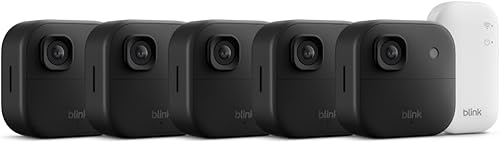
| Blink Outdoor 4 XR | Up to 2 years | 1080p HDR | Long alley or driveway coverage |
| Blink Outdoor 4 | Up to 2 years | 1080p HDR | Multi-entry townhouse setup |
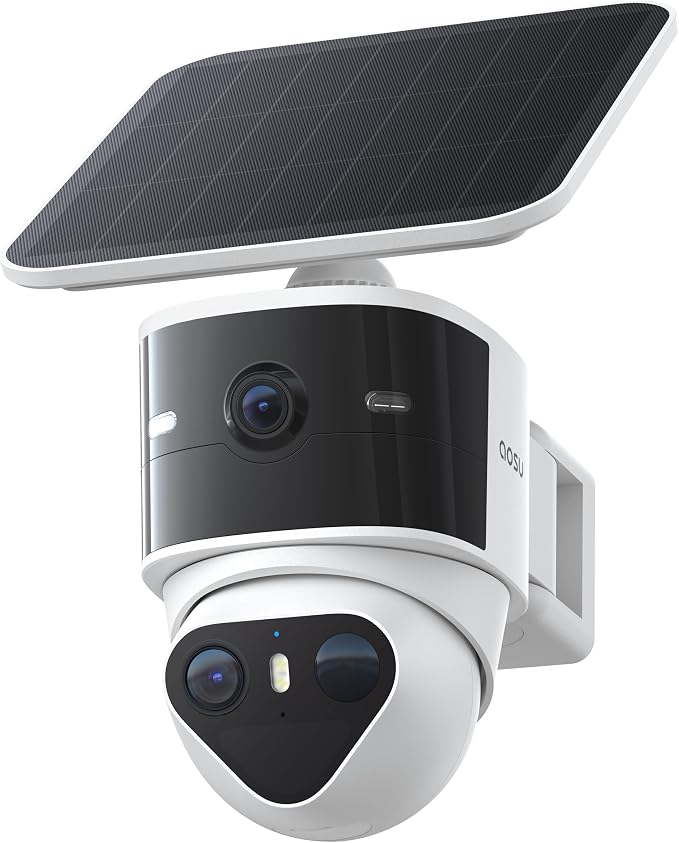
| aosu T2 Pro | Solar + battery | 3K Dual lens | Wide-angle stoop with detail zoom |
| Blink Outdoor 2K+ | Up to 2 years | 2K | Detail-heavy single entry |
| Blink Outdoor 4 System | Up to 2 years | 1080p HDR | Whole-unit deployment |
Best long-range complement: aosu T2 Pro Wireless Outdoor Security Camera, 3K Dual Cam
The aosu T2 Pro is the camera I'd pair with the Stick Up Cam Pro if your historic rental has a long approach — a brownstone stoop, a converted carriage house driveway, or a deep front garden. Its dual-lens 3K sensor gives you a wide overview plus a telephoto detail view simultaneously, which matters when a package thief is twenty feet away and you need a readable face. The integrated solar panel mounts with a clamp rather than screws, so you can grip it to a balcony railing or fire escape rung without violating your lease. Check current price on Amazon.
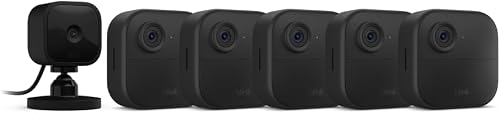
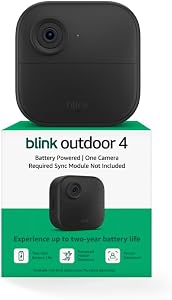
Best primary backup: Blink Outdoor 4 Wireless Smart Security Camera
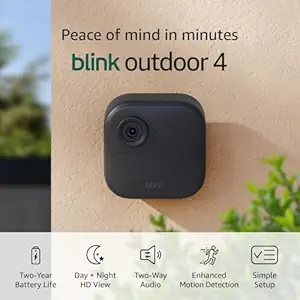
If your Stick Up Cam Pro covers the front, the Blink Outdoor 4 is the no-brainer pick for the back door, side gate, or basement access. Two-year battery life means you set it and forget it through an entire lease term, and the small footprint blends into ornate brick or shingle siding far better than larger cameras. It works with the same removable adhesive mount strategies and supports HDR for the awkward shaded alleys common in row-house neighborhoods. Check current price on Amazon.
Best high-resolution secondary: Blink Outdoor 2K+ Wireless Smart Security Camera
If your priority is reading license plates, package labels, or recognizing faces at distance, the Blink Outdoor 2K+ steps up the resolution without giving up the two-year battery life. It's the right pick for a single-camera deployment in a small studio or a one-bedroom rental where you want maximum detail from one carefully placed lens. Check current price on Amazon.
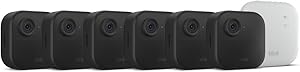
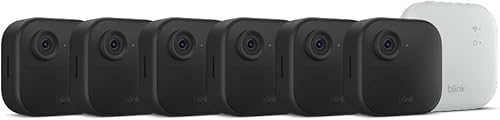
Best whole-unit coverage: Blink Outdoor 4 XR Wireless Camera (4-pack)
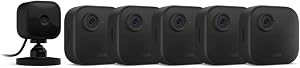
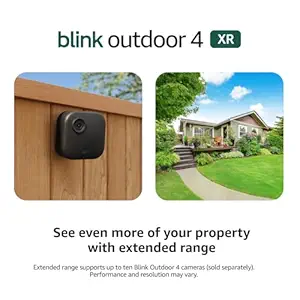
For larger historic rentals — a converted Victorian floor-through, a loft in a former industrial building, or a townhouse with multiple street-facing windows — the four-camera XR bundle lets you cover every angle with a single Sync Module and no drilling. The XR variant adds extended range, which matters when one of your cameras is fifty feet down the hall from your router. Check current price on Amazon.
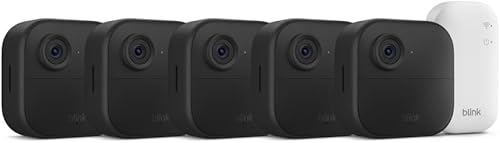
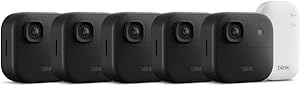
Best starter system: Blink Outdoor 4 Wireless Security Camera System
The packaged Blink Outdoor 4 System bundles the Sync Module and cameras at a lower per-camera price than buying separately, which makes it the smart starting point if you're new to battery security cameras and want one platform to learn rather than mixing brands on day one. Check current price on Amazon.
Window-mounted indoor-out: the historic apartment trick
Many pre-war apartments have deep windowsills — six or eight inches of usable surface behind the lower sash. Mounting the Stick Up Cam Pro on the interior sill, aimed outward through the glass, gives you a fully reversible exterior view with zero exterior installation. The trade-offs: glare at night from infrared bouncing off the glass, and reduced detection range. To mitigate, place the camera flush against the window (the rubber base helps eliminate the IR gap), close the curtains behind it so headlight reflections don't trigger motion alerts, and switch the night vision to color mode if there's a nearby streetlight providing ambient light.
For more on this approach, see our guide to window-mounted security cameras for apartments.
Landlord and privacy considerations
Before any installation, re-read your lease for clauses about exterior modifications, surveillance equipment, or shared-hallway recording. Most leases permit interior cameras and battery devices that leave no marks, but some condo associations and historic district overlays restrict anything visible from the street. Be especially careful with audio recording — several states require two-party consent, which means the doorbell-style two-way audio common to Ring cameras can create legal exposure if it records visitors or neighbors without notice. Disable audio recording, or post a small visible notice at your entry.
If you're weighing whether to add a doorbell to the Stick Up Cam Pro setup, our breakdown of no-drill video doorbells for renters covers the over-the-door mounts and peephole replacements that work in vintage buildings without modification.
Putting it all together: a typical historic rental setup
A realistic 2026 deployment for a two-bedroom apartment in a pre-war building looks like this: one Stick Up Cam Pro on a tension-rod or adhesive mount covering the front entry, one battery camera on the back door or fire escape, and an optional interior camera in a common area if you have roommates or pets to monitor. Total install time: under an hour. Total damage to the building: zero. Total cost: under $500 in most cases. For comparison shopping across the broader Ring ecosystem, our Ring Stick Up Cam Pro vs battery comparison covers when to upgrade and when the older Stick Up Cam Battery is the better pick.
Frequently Asked Questions
Can I install a Ring Stick Up Cam Pro in a rental without telling my landlord?
Legally, yes, as long as you use no-drill mounting and you're not recording shared hallways or neighbor windows. Practically, it's smart to mention battery cameras in writing if your lease has any surveillance clause, since the conversation is easier than a security-deposit fight at move-out. Reversible installation — adhesive, tension rod, freestanding — sidesteps almost all lease objections about "alterations."
Will the Stick Up Cam Pro magnetic mount damage plaster walls?
The magnetic puck itself doesn't damage anything, but the included screws and anchors will crack plaster. Use removable adhesive strips rated for at least three pounds and bond them to a smooth painted surface, not directly to wallpaper or unpainted plaster. Avoid placing adhesive over patched areas, since the patched plaster often pulls off when the strip is removed.
How do I power a Ring Stick Up Cam Pro in a historic building with no outdoor outlets?
Use the battery model exclusively. Recharge the pack every two to four months by bringing it inside for a few hours on a USB-C charger. For longer unattended runs, buy a second battery pack and rotate them so the camera never goes offline. The solar panel works if you can rest it on a south-facing windowsill indoors and run the cable through a window gap with a flat ribbon cable.
Will the Stick Up Cam Pro work with thick plaster-and-lath walls?
The camera itself works fine outdoors regardless of wall construction, but Wi-Fi signal will struggle to pass through metal lath. Add a mesh extender on the same floor as the camera, ideally with line-of-sight through one wall rather than two. If the camera reports signal strength below "good" in the Ring app, move the extender closer until it improves.
Is the Ring Stick Up Cam Pro waterproof enough for a fire escape in winter?
It's rated IP65, which handles rain, snow, and the freeze-thaw cycles typical of Northeast historic rentals. Cold does shorten battery life noticeably — expect roughly half the warm-weather runtime in sustained sub-freezing temperatures. Plan to swap batteries more often or supplement with a solar panel during winter months.
Can I record audio with my Ring camera in a historic apartment building?
Audio recording is legal in most one-party-consent states if you're a party to the conversation, but recording hallway audio with neighbors passing by enters murky territory. In two-party-consent states (California, Florida, Illinois, Massachusetts, Pennsylvania, Washington and several others), disable audio recording on cameras facing shared corridors or sidewalks. The Ring app lets you turn off audio per device.
What's the best alternative to Ring Stick Up Cam Pro for renters who don't want a subscription?
Local-storage cameras with no mandatory cloud fee are the answer. The aosu T2 Pro stores footage on a microSD card without a subscription, and Blink cameras work without a Blink Subscription Plan if you add a Sync Module 2 with a USB drive for local backup. Both deliver the no-drill, battery-powered profile that historic rentals need while skipping the recurring fee that the Stick Up Cam Pro nudges you toward.
Key Takeaways
- Choosing the right Ring Stick Up Cam Pro for historic rentals means matching capacity and output ports to your actual devices
- Always check actual watt-hours (Wh), not just watts — runtime depends on Wh, not peak output
- Also covers: Ring camera no drill historic building
- Also covers: Ring Stick Up Cam Pro renter friendly
- Also covers: preserve plaster walls Ring camera
- Compare price-per-Wh across models to find the best value for your budget