To hide Blink Mini 2 in Airbnb common areas the right way in 2026, you need to balance discretion with full guest disclosure. Airbnb banned all interior security cameras in April 2024, so any "hidden" setup must be exterior-facing only — porches, hallways outside the unit, driveways, shared entries, parking pads, or outbuildings — and the camera plus its purpose must be clearly listed in your house rules and listing description. Discreet does not mean covert: cameras must stay visible enough that a reasonable guest can locate them. Below we cover compliant placement, weatherproofing the indoor-rated Mini 2, and the best Blink alternatives when you need true outdoor durability.
Why "Hidden" Is the Wrong Word — And What to Aim For Instead
Top Picks
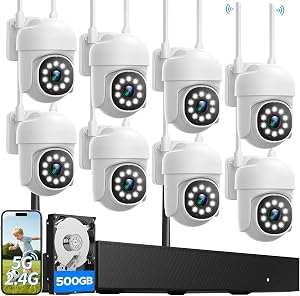
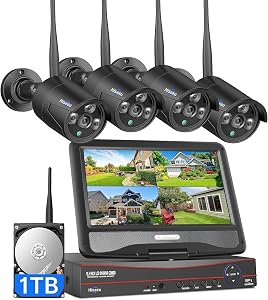
The Blink Mini 2 is a tiny 1080p plug-in camera designed primarily for indoor use, though Blink sells a weather-resistant power adapter that lets it live under a covered porch. For Airbnb hosts, the goal is rarely true concealment — it is visual integration. You want the camera to disappear into the architecture so it does not feel intrusive to guests scrolling listing photos, while still being technically discoverable. That is the line Airbnb's policy draws, and crossing it is the fastest way to lose Superhost status, get delisted, or face a small-claims suit.

If you are planning to hide Blink Mini 2 in Airbnb common areas, treat the word "hide" as shorthand for "blend in." The camera body should sit at a sightline a guest would not naturally scan, painted or housed to match nearby trim, but the lens must remain unobstructed and pointed only at exterior common space — never windows, never doorways looking into private rooms.
What Counts as a Common Area Under Airbnb's 2024 Policy
Since April 30, 2024, Airbnb prohibits indoor cameras of any type, even disclosed ones. "Common areas" for camera purposes now means:
- Exterior porches, balconies, and decks (camera must point outward, not into the unit)
- Driveways, parking pads, and carports
- Shared exterior hallways or stairwells in multi-unit buildings
- Backyards, pool decks, hot tub areas (with explicit notice — many guests opt out of bookings with hot tub cameras)
- Detached garages, sheds, and gate entries
Bathrooms, bedrooms, living rooms, kitchens, dining areas, and interior hallways are all off-limits — full stop. For more on this, see our complete Airbnb camera disclosure guide.
Five Discreet Placement Spots for a Mini 2 in Exterior Common Areas
The Mini 2 is small (49mm tall) and white, which actually helps it disappear against trim. Top placements:
- Porch ceiling corner — recessed into the soffit corner above the door. Guests look at the door, not up. Pair with the Blink Weather Resistant Power Adapter.
- Behind a planter bracket — mount the Mini 2 inside an open-bottom hanging planter on a porch beam. The greenery breaks the silhouette without blocking the lens.
- Under the eave facing the driveway — keeps the camera out of weather while covering arrivals.
- Inside a faux birdhouse with a cutout — sold as "camera housings" on Etsy, fully compliant since the lens is still visible.
- Garage rafter facing the door — if the garage is a shared common area, this catches package deliveries and any drive-up activity.
Always disclose each placement in your listing's "Safety & Property" section with a sentence like: "One Blink camera on the front porch ceiling and one on the driveway eave; no cameras anywhere inside the home."
The Mini 2 Limitation — And Why Most Hosts Upgrade
The Mini 2 only achieves IP65 weather resistance with Blink's separately sold weather adapter, and even then it needs to be under cover. Direct rain or pooling water voids the rating. It also requires constant AC power — no battery option — meaning you must run an outdoor-rated extension or have an existing exterior outlet. For unsheltered driveways, gates, or pool decks, you are better off with a true outdoor unit. The five products below all integrate with the Blink app, so you can mix and match if you already own a Mini 2 indoor-relocation candidate.
Best Outdoor-Rated Alternatives for Airbnb Common Areas (2026)
| Camera | Power | Resolution | Best Use Case | Common-Area Fit |
|---|---|---|---|---|
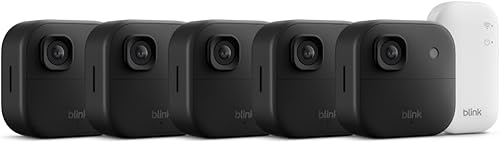
| Blink Outdoor 4 XR (4-cam) | 2-yr battery | 1080p HDR | Whole-property coverage | Multi-zone exterior |
| Blink Outdoor 4 (single) | 2-yr battery | 1080p HDR | Single front porch or driveway | Most hosts start here |
| Blink Outdoor 2K+ | 2-yr battery | 2K | License-plate capture | Driveways, gates |
| Blink Outdoor 4 System | 2-yr battery | 1080p HDR | Sync Module 2 bundle | First-time host kit |
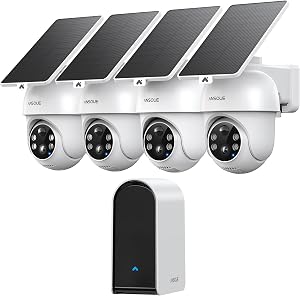
| aosu T2 Pro Dual Cam | Solar-ready battery | 3K dual-lens | Wide + zoom simultaneous | Pool decks, large yards |
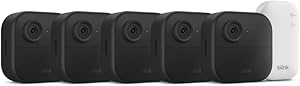
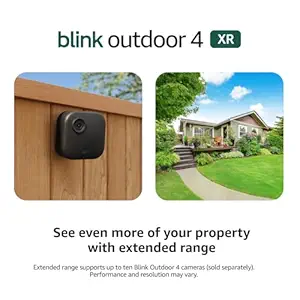
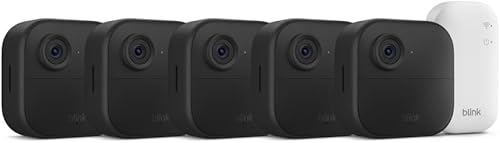
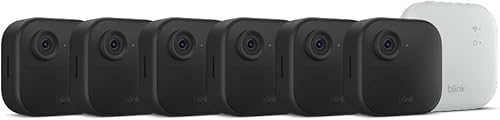
Blink Outdoor 4 XR Wireless Camera, 2-Year Battery (4-cam)
If you operate multiple short-term rentals or a single property with several exterior common areas, the XR 4-pack is the most cost-efficient way to cover every approach without running wires. The extended-range version doubles the distance to the Sync Module, which matters in detached-garage or back-of-lot scenarios where the Mini 2 cannot reach Wi-Fi at all. Battery life is genuinely two years on default settings, which means one less turnover task between guests. Mount these in the same discreet under-eave spots you would use for a Mini 2, but without the AC tether. Check current price on Amazon.
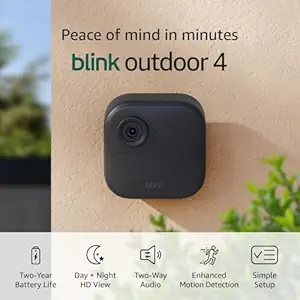
Blink Outdoor 4 Wireless Smart Security Camera, 2-Year Battery
The single-camera Outdoor 4 is the direct upgrade path for a host who already owns a Mini 2 and just needs one true outdoor unit for the driveway or front gate. It uses the same Blink app, the same Sync Module, and the same subscription — so your existing setup carries over. Person detection is included with a Blink Plus plan, which is genuinely useful for filtering out the raccoon notifications that erode trust in the alerts. View on Amazon.
Blink Outdoor 2K+ Wireless Smart Security Camera
The 2K+ is the model to pick when you need usable license-plate footage — useful for hosts dealing with parking disputes, unauthorized guests, or insurance claims. The bump from 1080p to 2K is the difference between "a dark sedan" and "a blue Civic, plate 7ABC123." Place it at the head of the driveway, mounted at roughly seven feet, angled downward about 15 degrees. Battery life takes a small hit at higher resolution but still clears a full booking season on most properties. See it on Amazon.
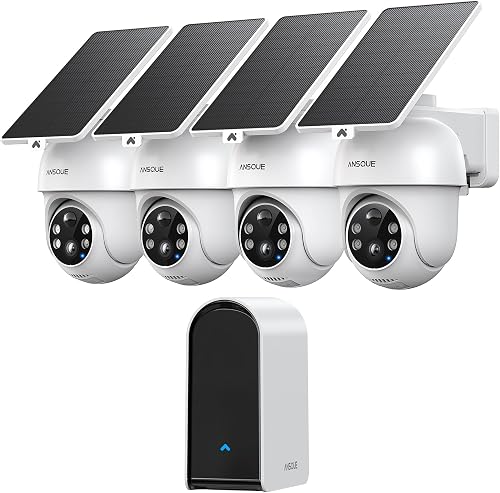
Blink Outdoor 4 Wireless Security Camera System
For first-time Airbnb hosts who do not yet own a Sync Module 2, this bundled system is the cleanest starting point. You get the camera, the hub, and the mounting kit in one box, so there is no "oh, I needed that too" Amazon trip on launch day. Pair it with one strategically placed Mini 2 under a porch cover and you have a two-camera disclosure-compliant setup for under a few hundred dollars. Check the bundle on Amazon.
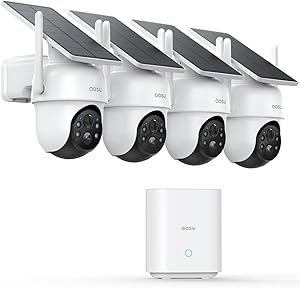
aosu T2 Pro Wireless Outdoor Security Camera, 3K Dual Cam
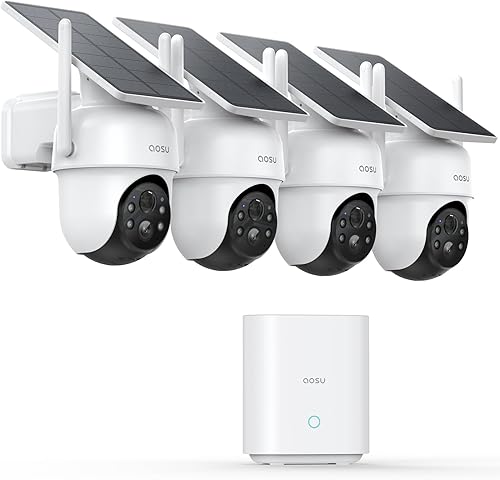
For hosts who need to step outside the Blink ecosystem — typically because they want simultaneous wide and zoom recording for pool decks or large backyards — the aosu T2 Pro is the strongest non-Blink contender in this price band. The dual-lens design captures a full overview and a tracked subject at the same time, which is exactly what you want for a hot-tub or pool common area where guests are mobile. It supports solar charging via a separate panel, so it can live in spots no outlet can reach. View the T2 Pro on Amazon.
Disclosure Language That Keeps You Compliant
Copy this template into your listing's "Other things to note" section and your house rules document:

"This property has exterior security cameras in the following common areas only: [list each location]. There are no cameras, recording devices, or microphones inside the home or in any private area. Cameras record continuously and footage is retained for 30 days for security purposes only."
Pair this with an in-unit printed notice near the front door — Airbnb's Trust & Safety team has historically sided with hosts who over-disclose. See our guide to doorbell cameras for short-term rentals for matching front-door coverage.
Frequently Asked Questions
Can I put a Blink Mini 2 in an Airbnb living room if I disclose it?
No. Airbnb's April 2024 policy bans all indoor cameras regardless of disclosure, including in shared living rooms, kitchens, and hallways. Disclosure no longer makes interior cameras compliant — the camera itself is the violation. Move any Mini 2 you have indoors to an exterior covered location, or repurpose it as a pet monitor in your own home.
Will the Blink Mini 2 survive on a covered porch through winter?
Only with the official Blink Weather Resistant Power Adapter and only under a true overhang where no horizontal rain or snow can reach it. Operating temperature is rated down to 32°F, so in genuinely cold climates (below freezing for extended periods) you should swap to a Blink Outdoor 4 which is rated to -4°F. Condensation is the silent killer — a heated garage in winter is harder on the camera than a covered porch in summer.
How do I hide a Blink Mini 2 in Airbnb common areas without violating Airbnb's terms?
Treat "hide" as "visually blend." Place the Mini 2 in exterior common areas only — porch soffit corners, under-eave nooks, faux-birdhouse housings — and disclose every camera location in your listing description, house rules, and an in-unit printed notice. The camera must remain physically visible to a guest who looks for it; concealing it behind objects or in fixtures with no lens visibility violates Airbnb's policy and likely state law.
What is the best discreet camera color for white-trim porches?
The Mini 2 ships in white, which already blends into most modern porch trim. For dark trim or stained wood, you can lightly wrap the body in matte vinyl (avoid painting — paint voids the warranty and can block the IR sensors). The Blink Outdoor 4 comes in black or white from the factory, and the aosu T2 Pro ships in dark gray, which disappears into stone or brick.
Do I need a Blink subscription for Airbnb common-area cameras?
Practically, yes. The Blink Basic plan ($3/month/camera) or Plus plan ($10/month unlimited) gives you cloud storage, person detection, and the 30-day rolling history that most insurance carriers expect for short-term rental claims. Local-only storage via Sync Module 2 with a USB drive is possible but inconvenient — you have to physically retrieve footage, and if a guest disputes an event after checkout, you need cloud access.
Can guests legally jam or cover my disclosed exterior cameras?
Covering a properly disclosed exterior camera is grounds for cancellation of the reservation under Airbnb's terms, and the host can charge for damages. Jamming devices are illegal under FCC rules. If a guest tampers with a camera, document it through the Resolution Center within 14 days of checkout. For more on disputes, see our guide to handling Airbnb camera disputes.
What is the cheapest compliant two-camera setup for a new Airbnb host?
One Blink Mini 2 ($40) under the porch ceiling with the weather adapter ($20), plus one Blink Outdoor 4 System ($100) on the driveway-facing eave. Total hardware: about $160. Add a $3/month Basic subscription for the Mini 2 (the Outdoor 4 System bundle often includes a trial). That covers the two most-litigated common areas — front entry and driveway — without overspending on a property you are still validating.
Bottom Line for Hosts in 2026
The Mini 2 is a capable little camera, but the safest way to hide Blink Mini 2 in Airbnb common areas is to abandon the word "hide" entirely. Mount it discreetly under exterior cover, disclose its location plainly, and pair it with a battery-powered Blink Outdoor 4 for the spots a plug cannot reach. That combination keeps you on the right side of Airbnb policy, state two-party consent laws, and — most importantly — guest trust, which is the only review metric that compounds.
Key Takeaways
- Choosing the right hide Blink Mini 2 in Airbnb common areas means matching capacity and output ports to your actual devices
- Always check actual watt-hours (Wh), not just watts — runtime depends on Wh, not peak output
- Also covers: disclose Blink Mini Airbnb
- Also covers: Blink Mini 2 short term rental
- Also covers: discreet Blink camera placement Airbnb
- Compare price-per-Wh across models to find the best value for your budget