If you've spent months perfecting your baby's nap schedule, the last thing you want is a UPS delivery setting off a thundering doorbell chime upstairs. The good news: getting a quiet Google Nest Doorbell chime for naps is mostly a settings problem, not a hardware problem. You can use Quiet Time mode, route alerts to specific downstairs speakers, drop the chime volume to a near-whisper, or switch to phone-only notifications during nap windows. In this 2026 guide, we'll walk through the exact configuration that keeps deliveries from waking light sleepers — plus a few supplementary outdoor cameras that let you skip the doorbell ring entirely.
Why the default Nest Doorbell chime wakes babies upstairs
Top Picks
The default Google Nest Doorbell chime is designed to be heard across an average single-family home. On wired models, it drives whatever traditional mechanical chime is wired into your foyer; on battery models, it routes through any Google Nest speaker (Nest Mini, Nest Audio, Nest Hub) you've grouped to it. Both default to volumes that carry up a staircase with no problem, and the chime tone has a sharp attack — that initial percussive "ding" is what triggers a baby's startle reflex. Even a low-volume chime can wake a sleeping infant if the tone has a sudden onset.

This matters for nurseries on the upper floor. Even at 30% volume, a Nest Mini sitting at the bottom of the stairs throws enough sound up an open stairwell to interrupt a light Stage 2 sleep cycle. The fix isn't to live with it — it's to redirect or silence the chime during the windows that matter most.
Step-by-step: configuring a quiet Google Nest Doorbell chime for naps
1. Use Quiet Time on Nest speakers during nap windows
The cleanest 2026 solution is Quiet Time inside the Google Home app. Open the Nest speaker that's currently broadcasting your doorbell alerts, tap the gear icon, scroll to "Notifications & Digital Wellbeing," and set Quiet Time to your nap windows (for example, 9:30–11:00 AM and 1:00–3:00 PM). During these windows the speaker won't play any chime audio — but your phone still gets a push notification, and the camera still records the event.
2. Drop chime volume on the speaker itself
If you don't want a hard mute, the next best move is dropping the doorbell speaker's notification volume independently of its media volume. In Google Home, open the speaker, tap "Notifications & announcements," and set the slider to roughly 20–25%. That's loud enough to be heard from the kitchen or living room but quiet enough that it doesn't carry up a staircase.
3. Move the announcement speaker away from the stairwell
The single biggest acoustic mistake parents make is grouping the doorbell to whatever speaker sits at the bottom of the stairs. Sound bounces upward through a stairwell like a chimney. Instead, group the doorbell only to a speaker placed in the kitchen, family room, or back of the house — somewhere with at least one wall and a closed door between it and the nursery.
4. Switch to phone-only alerts
If you have a wired Nest Doorbell connected to a traditional mechanical chime, open the Google Home app, find the doorbell device, and toggle off "Existing chime." This kills the in-wall ding-dong entirely. Pair this with grouping the announcement only to your own phone (via the doorbell's notification settings), and the only person who hears anything is you, on your phone, on silent if you choose.
5. Use a Routine to automate it
The most reliable setup is a Google Home Routine that runs every weekday at your nap start time. The Routine can lower speaker volume, enable Quiet Time, and even tell the doorbell to stop announcing on any indoor speaker — then a second Routine reverses all of that when nap time ends. Once configured, you never have to touch a setting again.
Should you skip the doorbell chime entirely during nap hours?
For some households, the answer is yes. If your baby is in a particularly light sleep phase, or you've got two children napping on different schedules, no chime is the only chime that works. The compromise: you'll need a reliable way to see who's at the door without audio. The Nest Doorbell's phone notification with a Live View preview handles this for most parents, but if your phone is plugged in across the house — or you're showering, cooking, or just not glued to your screen — you might miss deliveries entirely.
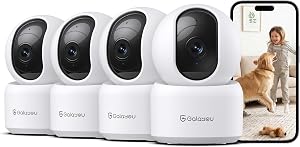
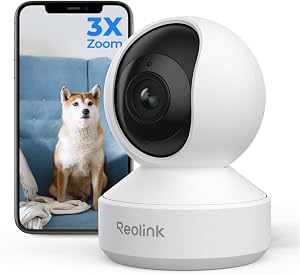
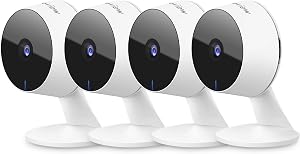
A complementary outdoor camera mounted near the door, set to send motion-triggered phone notifications, gives you a second silent layer. You'll see the delivery driver walking up the path 5–10 seconds before they press the doorbell, which is usually enough lead time to intercept them quietly or just acknowledge the package and go back to whatever you were doing. The cameras below all default to phone-only notifications (no in-home chime audio), which makes them naturally nap-friendly.
Silent outdoor cameras that pair well with a muted Nest Doorbell
Best overall pairing: aosu T2 Pro Wireless Outdoor Security Camera, 3K Dual Cam
The aosu T2 Pro is our top pick for parents who want to fully mute the doorbell chime but still get advance warning of arrivals. Its 3K dual-camera system gives you a wide view of the path plus a tighter view at the door, so you can usually identify a UPS or FedEx driver from the moment they enter your driveway. Notifications are phone-only by default, with no obnoxious in-home chime — exactly what you want when a baby is sleeping. Battery life is excellent, and the AI person detection cuts down on false alerts from cats and passing shadows.
Check the aosu T2 Pro on Amazon
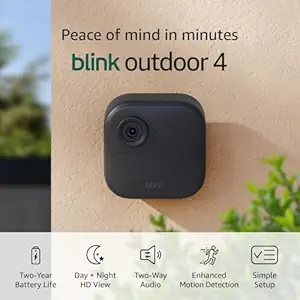
Best 2-year battery: Blink Outdoor 4 Wireless Smart Security Camera
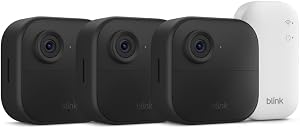
If you don't want to think about charging during the chaotic newborn months, the Blink Outdoor 4 runs two years on standard AA lithium cells. It pairs cleanly with the Alexa ecosystem, but more importantly for nap households, you can disable all in-home announcement audio so notifications come only to your phone. The 1080p video is sharp enough for porch deliveries and front-door interactions, and motion sensitivity is adjustable so you're not pinged by every passing dog walker.
Check the Blink Outdoor 4 on Amazon
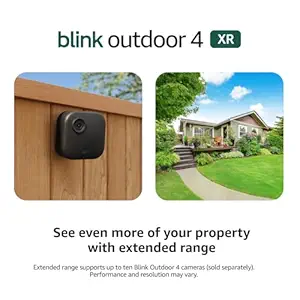
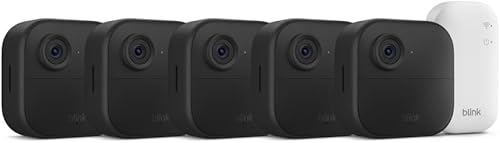
Best 4-camera kit: Blink Outdoor 4 XR Wireless Camera, 2-Year Battery (4-cam)
For larger homes where you want full perimeter coverage — front door, side gate, backyard, and driveway — the four-camera Blink Outdoor 4 XR bundle is the most cost-effective option. Each camera independently sends phone-only alerts, so you can fine-tune which cameras notify you during nap windows. We typically recommend disabling the side and backyard cams during nap hours (less critical) and leaving only the front-door cam armed, which reduces overall notification noise.
Check the Blink Outdoor 4 XR 4-pack on Amazon
Best higher-resolution Blink: Blink Outdoor 2K+ Wireless Smart Security Camera
If you want sharper detail than the standard 1080p Blink — useful for reading license plates or package labels from across the yard — the Blink Outdoor 2K+ steps up to 2K video while keeping the same phone-only, no-in-home-chime notification flow. It runs on the same battery system and works with the same Sync Module, so adding it to an existing Blink setup is painless.

Check the Blink Outdoor 2K+ on Amazon
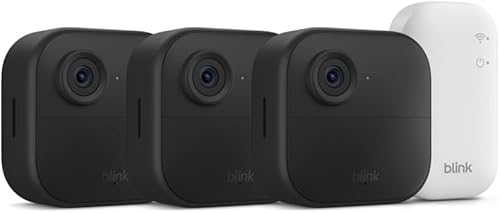
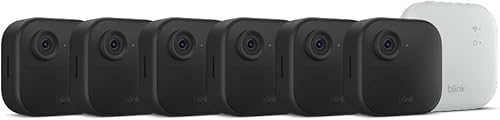
Budget multi-cam option: Blink Outdoor 4 Wireless Security Camera System
If the XR 4-pack is more than you need, the standard Blink Outdoor 4 system bundle is a strong middle-ground option, often available with fewer cameras at lower entry pricing. Same silent-by-default notification behavior, same long battery, same Alexa integration.
Check the Blink Outdoor 4 System on Amazon
Comparison table: silent-by-default outdoor cameras for nap households
| Camera | Resolution | Battery life | In-home chime | Best for |
|---|---|---|---|---|
| aosu T2 Pro 3K Dual Cam | 3K dual lens | Rechargeable, multi-month | Phone-only | Top overall pairing with muted Nest |
| Blink Outdoor 4 | 1080p | 2 years (AA lithium) | Phone-only | Set-and-forget single camera |
| Blink Outdoor 4 XR (4-pack) | 1080p | 2 years (AA lithium) | Phone-only | Full perimeter, larger homes |
| Blink Outdoor 2K+ | 2K | 2 years (AA lithium) | Phone-only | Sharper detail at the door |
| Blink Outdoor 4 System | 1080p | 2 years (AA lithium) | Phone-only | Budget multi-cam starter |
Combining everything into a single nap-time setup
The most reliable 2026 setup looks like this: a Nest Doorbell with Quiet Time scheduled for nap windows, the in-wall chime disconnected (or just unwired), the announcement speaker grouped only to a kitchen Nest Mini at 20% volume, and a silent outdoor camera (any of the picks above) covering the approach path with phone-only notifications. Together that delivers a truly quiet Google Nest Doorbell chime for naps without sacrificing security coverage, and you can still answer the door before a delivery driver gives up and leaves a "sorry we missed you" sticker.
For a deeper dive into doorbell selection, see our best video doorbells of 2026 roundup. If you'd rather skip the doorbell entirely and rely on a perimeter camera setup, our guide to silent security cameras for nurseries walks through camera-only setups. And if you're still deciding between ecosystems, our Google Nest vs. Ring doorbell comparison covers nap-friendly settings on both platforms.
Frequently Asked Questions
Can I make my Google Nest Doorbell silent only during nap hours?
Yes. Use Google Home's Quiet Time feature on the announcement speaker, or build a Routine that mutes the speaker's notification volume at nap start and restores it at nap end. The doorbell itself still records every press; only the in-home chime audio is silenced.
Will disabling the in-wall chime void anything on a wired Nest Doorbell?
No. The "Existing chime" toggle in Google Home is designed exactly for this — it tells the doorbell not to drive your traditional mechanical chime. You can re-enable it any time. The doorbell continues to work normally; only the in-wall bell stays silent.
What's the quietest Nest speaker for doorbell announcements upstairs?
The 2nd-gen Nest Mini is the most controllable: its notification volume can be dropped to roughly 10% and still produce an audible-but-soft chime. Larger speakers like Nest Audio have more low-end energy that carries further through floors and walls, which is the opposite of what nap households want.
Can I route Nest Doorbell alerts only to my phone, with zero speaker audio?
Yes. In the doorbell's device settings inside Google Home, remove all speaker groups from the announcement list. Notifications will then go only to phones that have the Google Home app installed with notifications enabled. This is the most reliably silent setup.
Does the Nest Doorbell make any noise at the doorbell itself when pressed?
The battery Nest Doorbell plays a soft outdoor confirmation tone when pressed (so the visitor knows it registered). It's much quieter than any in-home chime and is generally not audible from inside a closed home, especially upstairs. The wired model behaves similarly.
What if a delivery driver keeps pressing the button repeatedly during a nap?
This is where a perimeter camera helps — you see them approaching before they reach the button, so you can intercept silently or answer through two-way audio from your phone before they ring at all. The aosu T2 Pro and Blink Outdoor 4 lineups both default to phone-only notifications, which keeps the whole interaction silent inside the house.
Will Quiet Time block emergency alerts too?
Quiet Time only silences routine announcements like doorbell chimes and timer notifications on that specific speaker. It does not affect alarms you've manually set, smoke or CO alarm integrations, or any safety announcements your speaker has been configured to broadcast. Your phone notifications also remain unaffected.
Key Takeaways
- Choosing the right quiet Google Nest Doorbell chime for naps means matching capacity and output ports to your actual devices
- Always check actual watt-hours (Wh), not just watts — runtime depends on Wh, not peak output
- Also covers: silent Nest Doorbell baby sleeping
- Also covers: Nest Doorbell quiet hours setting
- Also covers: best low volume doorbell chime baby
- Compare price-per-Wh across models to find the best value for your budget