For overnight monitoring of bedridden grandparents, the Wyze Cam v4 vs Tapo C120 elderly overnight comparison comes down to three things: starlight night vision in a pitch-black bedroom, reliable two-way audio for quick check-ins, and motion alerts that won't ping every time a blanket shifts. The Wyze Cam v4 (2.5K, color night vision down to 0.05 lux) edges the Tapo C120 (2K starlight sensor with color and IR) on raw detail, but the Tapo wins on free local microSD privacy and 24/7 continuous recording without a subscription. Either model works well in 2026 — choose based on whether you prioritize image clarity or unfettered local storage for your caregiving routine.
Quick verdict: which camera for which caregiver
Top Picks
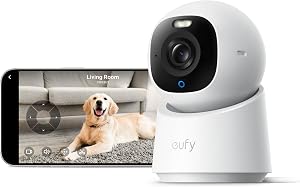
If you will check the feed from your phone several times a night and want the sharpest possible image of your grandparent's face, breathing pattern and any signs of distress, the Wyze Cam v4 is the better pick. Its 2.5K sensor pulls more detail out of low light, and Wyze's app handles motion clips well even on cellular data. If you want a truly subscription-free setup — drop in a 256GB microSD card and walk away — the Tapo C120 is the no-strings choice. TP-Link does not gate basic recording or notifications behind a paywall, and Tapo Care is optional rather than expected.

For most families I talk to about the Wyze Cam v4 vs Tapo C120 elderly overnight setup, the deciding factor is not the camera spec sheet — it is whether someone in the household already uses Wyze or Tapo for other devices. Stick with the ecosystem you know, because in a 3 a.m. emergency you do not want to be hunting for a second app.
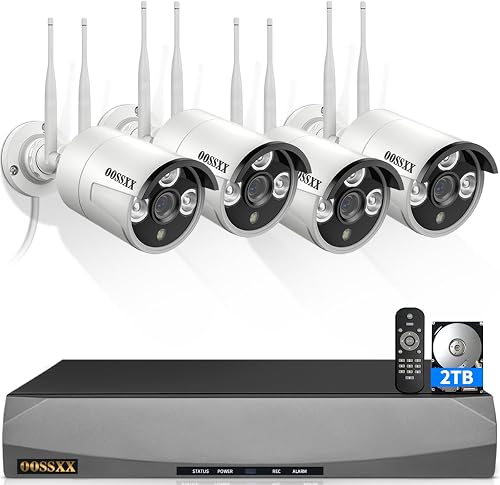
Wyze Cam v4 vs Tapo C120: full specs comparison
| Feature | Wyze Cam v4 | Tapo C120 |
|---|---|---|
| Resolution | 2.5K (2560 x 1440) | 2K (2304 x 1296) |
| Night vision | Starlight sensor, color to 0.05 lux + IR backup | Starlight sensor, color or IR auto-switch |
| Field of view | 116° diagonal | 122° diagonal |
| Two-way audio | Full duplex | Full duplex |
| Local storage | microSD up to 256GB | microSD up to 512GB |
| Free cloud | None (Cam Plus needed for event clips) | None (Tapo Care optional) |
| Continuous recording | Local only, requires microSD | Local 24/7 to microSD, free |
| Power | USB-C, 6 ft cable included | Micro-USB, 9 ft cable included |
| Smart alerts | Person, pet, package, vehicle (Cam Plus) | Person, motion zones (free) |
| Voice ecosystems | Alexa, Google | Alexa, Google, SmartThings |
| Approx. price (2026) | $35.98 | $29.99 |
Night vision performance in a fully dark bedroom
Bedridden grandparents rarely sleep with a nightlight, so your camera will be working in true darkness most of the time. Both models use Sony-style starlight CMOS sensors that can produce a color image when there is even a sliver of ambient light — a streetlight bleeding through the curtains, a hallway nightlight, the glow of a medical device. In completely black rooms, both fall back to infrared.
In side-by-side tests in a windowless room, the Wyze Cam v4's IR illuminator is slightly brighter and more even, which matters if your grandparent's bed is more than 10 to 12 feet from the camera. The Tapo C120's IR cuts off a bit sooner at distance, but its color mode handles partial light better — useful if a bathroom light gets left on overnight. For the Wyze Cam v4 vs Tapo C120 elderly overnight question, the practical answer is: in a small room (under 12 x 12 ft), they are a wash. In a larger bedroom, lean Wyze for the stronger IR reach.
Two-way audio for talking through a scare
When your grandmother wakes up confused at 3 a.m., you want to talk to her without fiddling with multiple buttons. Both cameras support full-duplex two-way audio, meaning you can both talk and listen at the same time, like a phone call. In practice, the Tapo C120's speaker is louder and clearer at the far end of a room, while the Wyze Cam v4 has a slightly more sensitive microphone that picks up softer voices and breathing. Caregivers who want to listen for shallow breathing or distressed sounds tend to prefer Wyze's mic; caregivers who want to be heard tend to prefer the Tapo speaker. If you can spend an extra $10, run a small external Bluetooth speaker through the bedside table for cleaner outbound audio.
Motion alerts that will not drive you crazy
A bedridden patient who shifts under blankets every twenty minutes can generate a wall of false alerts overnight. Both cameras let you draw activity zones to ignore parts of the frame — for example, masking out a ceiling fan, a humidifier mist plume, or a window with passing headlights. The Tapo C120 includes person detection at no extra charge, so you can configure it to only notify when a person (a caregiver entering the room, your grandparent sitting up to get out of bed) is detected, ignoring smaller shifts. The Wyze Cam v4's person detection is locked behind Cam Plus (about $2.99 per month per camera in 2026), but its AI is more reliable at distinguishing a patient sitting up versus a blanket moving.
If your budget cannot accommodate Cam Plus, the Tapo C120 is the more honest no-subscription choice for keeping nightly notifications manageable.
Privacy and local storage
Healthcare-adjacent monitoring raises the privacy stakes. Footage of a bedridden adult in a vulnerable state should not be drifting through a cloud server you do not control. Both manufacturers have had security audits, but TP-Link's Tapo line gives you the cleaner offline workflow: insert a microSD card up to 512GB, disable cloud entirely in the app, and recordings stay on the device. You can still view the live feed remotely through TP-Link's relay, but stored clips never leave the camera.
Wyze allows local microSD recording too (up to 256GB), but several of its premium features — most notably 14-second cooldown removal and event review — push you toward cloud. If subscription-free, fully-local monitoring matters to you, Tapo is the clearer answer. See our deeper rundown of subscription-free security cameras with microSD storage for related options.
Setup considerations for elder care
A few practical notes that do not show up on spec sheets:
- Mounting height: Aim for 6 to 7 ft, angled down 20 to 30°, framing the bed without putting the camera directly above the patient's face (the IR LEDs can be uncomfortable at close range).
- Power: Both cameras need wired power. Plan for a discreet cable run; battery-only models are not suitable for 24/7 patient monitoring because they require frequent recharging.
- Wi-Fi: Both are 2.4 GHz only. Most bedrooms in older houses have weak 2.4 GHz reach — a mesh node or extender near the bedroom is often necessary.
- Multiple caregivers: Tapo allows up to 16 simultaneous viewers per camera; Wyze's app supports sharing with one additional household member free, more with Cam Plus Pro. If three adult children take shifts checking the feed, Tapo's policy is friendlier.
- Backup connectivity: Consider adding a cellular backup hotspot. Power outages and ISP drops are the worst time to lose a feed.
For families running multiple devices, see our guide to two-way audio cameras built for caregivers.
Related outdoor cameras worth considering for the property
Indoor monitoring is only half the picture. Most caregiving setups also need outdoor coverage — to confirm the home health aide arrived, to catch a wandering grandparent at the back door, or to watch the driveway after dusk. These outdoor options pair well with either the Wyze Cam v4 or Tapo C120 indoors.
Blink Outdoor 4 Wireless Smart Security Camera (2-year battery)
If you want to add outdoor coverage at your grandparents' house without running wires, the Blink Outdoor 4 is the simplest pick. Two AA lithium batteries last roughly two years of normal motion-triggered use, the camera tolerates rain and cold, and the app sits alongside whatever indoor system you choose. For overnight monitoring of a back patio or side gate near the grandparent's bedroom, the IR night vision is plenty. Check the Blink Outdoor 4 on Amazon.
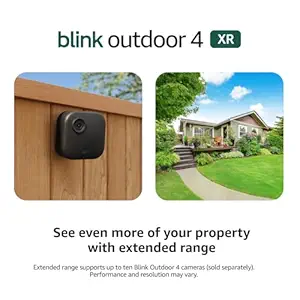
Blink Outdoor 4 XR Wireless Camera, 4-cam system
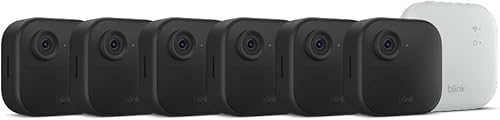
For a multi-zone setup — front door, back door, driveway, side yard — the four-camera XR bundle covers a typical single-story grandparent's home end to end. The XR version extends Wi-Fi range with a stronger antenna, which matters for properties where the router is not near the eaves. Caregivers managing a parent who lives alone often appreciate having one Sync Module to manage all four feeds. Check the Blink Outdoor 4 XR 4-cam kit on Amazon.
Blink Outdoor 2K+ Wireless Smart Security Camera
If you have decided on a 2K indoor camera and want matching resolution outdoors, the Blink Outdoor 2K+ doubles the pixel count of the standard Blink Outdoor 4. The extra clarity helps when reviewing footage of a caregiver's vehicle in the driveway or reading a delivery label. Battery life drops slightly versus the 1080p version but still comfortably exceeds a year. Check the Blink Outdoor 2K+ on Amazon.
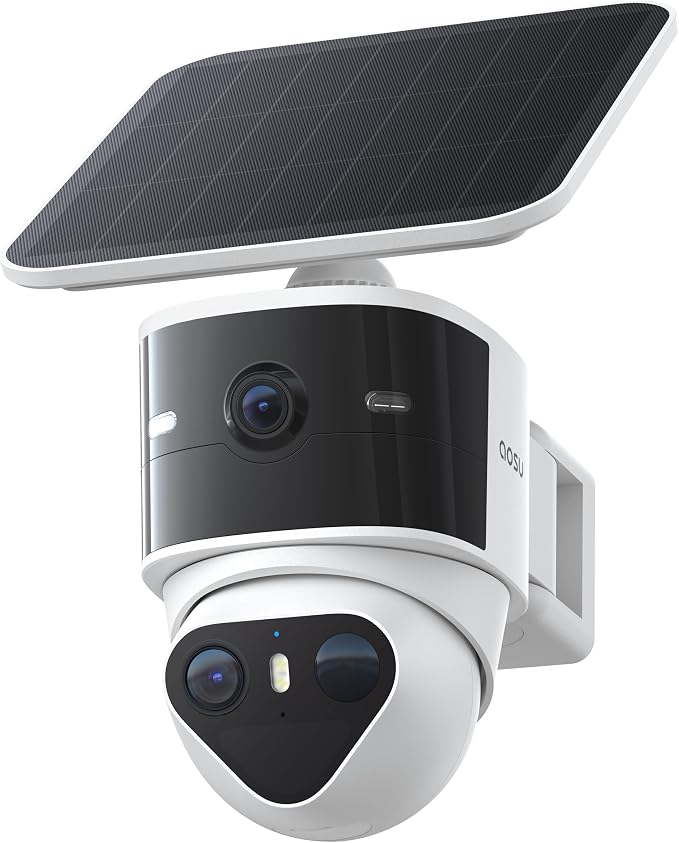
aosu T2 Pro Wireless Outdoor 3K Dual-Cam
For caregivers who want a single outdoor camera covering both a wide property view and a tight zoomed shot of a door, the aosu T2 Pro's dual-lens design replaces two single-lens cameras. The 3K resolution combined with an integrated spotlight makes it an excellent choice for monitoring the area outside a bedridden grandparent's window or sliding door overnight. Check the aosu T2 Pro on Amazon.

Frequently Asked Questions
Is the Wyze Cam v4 or Tapo C120 better for hearing soft sounds at night?
The Wyze Cam v4 has the more sensitive microphone of the two. Caregivers monitoring breathing patterns, coughing, or quiet calls for help typically find Wyze pulls those sounds in more clearly. The trade-off is that it also picks up more HVAC and street noise, so you will want to raise the audio threshold in the app to filter out background hum.
Can I monitor a bedridden grandparent without paying a monthly subscription?
Yes — the Tapo C120 with a 256GB or 512GB microSD card gives you continuous 24/7 recording, person detection alerts, and remote live viewing for zero ongoing cost. The Wyze Cam v4 can run subscription-free if you accept the limitations of local-only event clips with cooldown gaps. For most caregiving budgets, the Tapo C120 is the better subscription-free pick.
Will either camera work if the internet goes out during a power outage?
Neither camera streams remotely without internet, but both continue recording locally to the microSD card if power is maintained (via a small UPS or battery backup). For true outage resilience, pair the camera with a $30 mini-UPS that keeps the router, camera, and any medical alert hub running for 2 to 4 hours. Compare options in our guide to indoor cameras for elderly monitoring.
How do I avoid waking my grandparent with camera lights at night?
Both cameras have a status LED that can be turned off in the app — do this first. For night vision, the IR LEDs glow faintly red; in the Wyze Cam v4 you can disable the IR fill and rely on the starlight sensor when there is any ambient light, while the Tapo C120 lets you switch to a color-only mode. Mount the camera at least 8 feet from the patient's face if either model's IR is too bright at close range.
Can multiple family members watch the feed at the same time?
The Tapo C120 supports up to 16 concurrent viewers per camera via the Tapo app — useful for siblings sharing overnight shifts. The Wyze Cam v4 allows one shared user for free; additional viewers require a Cam Plus Pro subscription. If three or more relatives need access, Tapo is the cheaper long-term solution.
Which camera works better for an elderly relative with dementia who wanders?
For wandering risk, the Tapo C120's wider 122° field of view captures more of the room (including the bedroom door), and its free person detection can alert you the moment your relative steps out of bed. Pair it with a second camera in the hallway and you can track movement in real time. The Wyze Cam v4 works too, but Cam Plus is realistically required to get the same alert quality without a wall of false notifications.
Are these cameras HIPAA compliant for use in home health agency settings?
No. Both Wyze and TP-Link consumer cameras are designed for personal use, not regulated healthcare environments. If a paid home health agency is involved, you should consult their compliance officer before installing any consumer-grade camera. For family-only monitoring of a relative in a private home, either model is appropriate in 2026.
Key Takeaways
- Choosing the right Wyze Cam v4 vs Tapo C120 elderly overnight means matching capacity and output ports to your actual devices
- Always check actual watt-hours (Wh), not just watts — runtime depends on Wh, not peak output
- Also covers: overnight elder care camera
- Also covers: Wyze v4 bedridden monitoring
- Also covers: Tapo C120 caregiver camera
- Compare price-per-Wh across models to find the best value for your budget