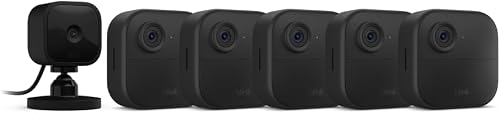
Setting up the Blink Mini 2 for shared basement laundry rooms comes down to four things: a working outlet within six feet of the washer-dryer pair, a 2.4 GHz Wi-Fi signal that reaches the basement, motion zones that ignore the dryer vent and water heater, and a clear written agreement with other tenants about who can view the feed. Mount the Mini 2 on a shelf above the machines pointing toward the entry door, plug it into a GFCI outlet, complete onboarding in the Blink app, and you will have a budget plug-in camera covering the high-traffic area where laundry theft and lint fires both tend to happen.
If the basement Wi-Fi is weak or outlets are scarce, a battery-powered Blink Outdoor 4 makes a smarter alternative — and we cover those picks below alongside the Mini 2 workflow.
When shopping for Blink Mini 2 for shared basement laundry rooms, it pays to compare specs, capacity, and real-world runtime before committing.
Why basements are tricky for the Blink Mini 2
Top Picks

Shared basement laundry rooms in older duplexes, triplexes, and small condo buildings rarely have the infrastructure a security camera assumes. The router is typically two floors up, concrete and ductwork absorb 2.4 GHz signal, the only outlet is often behind the dryer, and humidity routinely climbs above 70 percent on wash days. The Blink Mini 2 is rated for outdoor use with the official weather-resistant power adapter, which is the secret to making it work in a damp basement — but you still want to keep the camera body itself out of direct steam from the dryer vent.


There is also a social problem. A basement laundry room is shared infrastructure. Before installing any camera, post a written notice in the room, give every adult tenant 30 days to object, and avoid pointing the lens at anyone's personal storage cage. Most provinces and states allow recording in shared utility spaces, but two-party-consent jurisdictions require disabling the microphone. The Blink app lets you toggle audio recording per device — turn it off if you are unsure.
The 15-minute Blink Mini 2 setup workflow for a shared basement
Here is the exact sequence that works for a typical Blink Mini 2 for shared basement laundry rooms installation:
- Test Wi-Fi at the install location first. Stand where the camera will mount and run a speed test on your phone. You need at least 2 Mbps upload on the 2.4 GHz band. If you cannot get that, stop and add a mesh node or powerline adapter before buying the camera.
- Pick the mount point. Above the washer-dryer, 7-8 feet up, lens angled 15-20 degrees downward toward the entry door. This frames both the machines and anyone walking in.
- Use the weather-resistant power adapter. The standard adapter is fine for dry basements, but the optional weather-resistant version is worth the extra ten dollars in any basement that ever shows condensation on pipes.
- Onboard in the Blink app. Add device, scan the QR code on the back, choose your 2.4 GHz network, and assign the camera to a system named something neutral like "Utility" rather than "Laundry Spy."
- Define motion zones. Mask out the dryer vent (heat plumes trigger false motion), the water heater pilot area, and any window where outdoor light shifts at dusk. Keep the active zone on the door and the walkway in front of the machines.
- Set retrigger to 30 seconds and sensitivity to 5. This is the sweet spot for laundry rooms — high enough to catch a person but not every cycle the dryer rumbles.
- Subscribe or use local storage. The Blink Mini 2 supports cloud clips via Blink Subscription Plus or local storage via a Sync Module 2 with a USB drive. Local storage is the better choice for a shared space because no third party holds footage of your neighbors.
When the Blink Mini 2 isn't the right pick
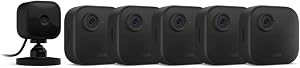
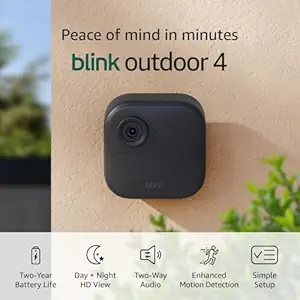
The Mini 2 needs a permanent power outlet. If your basement has only one outlet and the washer-dryer already monopolize it, a battery-powered camera saves you from running an extension cord across a wet floor. Battery cameras also survive a tripped GFCI breaker — which happens often in shared laundry rooms when someone overloads a circuit. The Blink Outdoor 4 line is the natural step up, with up to two years of battery life on two AA lithium cells and the same app, same Sync Module, same subscription as the Mini 2.
For coverage of an entire shared basement — laundry area plus storage cages plus the stairwell — a multi-camera system beats stretching one Mini 2's field of view. See our companion guide on multi-camera Blink systems for small apartment buildings for the wiring-free approach landlords of 4-12 unit buildings tend to land on.
Comparison: Blink cameras that pair well with a basement laundry setup
| Camera | Power | Best basement use | Resolution | Weather rating |
|---|---|---|---|---|
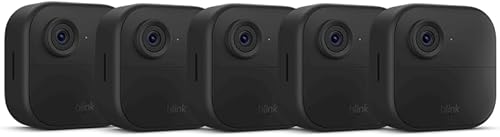
| Blink Outdoor 4 (single) | 2-year AA lithium | Backup when outlets are taken | 1080p HDR | IP65 |
| Blink Outdoor 4 System | 2-year AA lithium | Laundry + storage cage combo | 1080p HDR | IP65 |
| Blink Outdoor 4 XR (4-cam) | 2-year AA lithium | Whole-basement coverage in larger buildings | 1080p HDR, longer range | IP65 |
| Blink Outdoor 2K+ | 2-year AA lithium | When you need to read serial numbers on machines | 2K | IP65 |
Note that the Blink Mini 2 itself is the cheapest entry point and remains the default recommendation when there is a usable outlet. The cameras above are alternatives or supplements, not replacements.
Recommended pairings for the Blink Mini 2 basement build
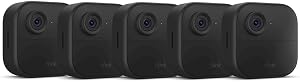
Blink Outdoor 4 Wireless Smart Security Camera (single cam)
This is the camera I tell every tenant to buy as a companion to the Mini 2. Drop the Mini 2 above the washer-dryer where the outlet lives, and put this battery-powered Outdoor 4 at the bottom of the basement stairs to catch anyone entering the room from the building's main hall. Two years on a pair of AA lithium cells means you change batteries less often than you change the dryer lint filter. The IP65 rating shrugs off basement humidity without complaint. Get it here: Blink Outdoor 4 – Wireless smart security camera, two-year b

Blink Outdoor 4 Wireless Security Camera System
If you are starting from scratch rather than adding to an existing Blink account, the bundled system is the cheaper path because it includes the Sync Module 2 — which you need anyway for local USB storage. Local storage matters more in shared spaces than in single-family homes, because you keep the only copy of footage of your neighbors rather than handing it to Amazon's cloud. Set the system up once, then add the Mini 2 to the same Sync Module 2: Blink Outdoor 4 – Wireless smart security camera, two-year b
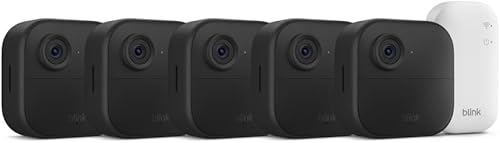
Blink Outdoor 4 XR Wireless Camera, 2-Year Battery (4-cam)
For triplex and fourplex buildings where the basement serves four units, the four-camera XR bundle is the most cost-efficient way to put eyes on the laundry corner, the storage corner, the utility corner, and the stairwell at once. The XR variant has extended Wi-Fi range, which is exactly what concrete-wall basements need. One Mini 2 above the machines plus this kit at the corners gives you total coverage on one app, one subscription, one Sync Module. Buy the 4-pack: Blink Outdoor 4 XR – two-year battery wireless camera with 4
Blink Outdoor 2K+ Wireless Smart Security Camera
The Mini 2's 1080p sensor is fine for identifying a person, but if you want to read the model number on a stolen washer pump or zoom in on a lint trap left clogged by a specific tenant, the 2K+ model is the upgrade. I use it as the primary camera and demote the Mini 2 to secondary angle. The extra resolution also helps after dark when basement lighting is poor. Available at Blink Outdoor 2K+ (newest model) — Wireless smart security c
Wi-Fi, power, and mounting details that actually matter
Three small details separate a Blink Mini 2 install that works for three years from one that frustrates you in three weeks.
Wi-Fi extender placement. Do not put the extender in the basement. Put it on the first floor near the basement-stair door, so it pulls a strong signal from the upstairs router and rebroadcasts down. Extenders inside a concrete basement only repeat a weak signal back to itself.
Cord management. The Mini 2 ships with a six-foot USB-A to micro-USB cable. Use cable clips along the joist or pipe rather than letting the cord dangle near machines. A dangling cord is the single most common cause of cameras being knocked offline in shared spaces.
GFCI outlets. Code now requires GFCI protection in basement utility spaces. GFCI breakers trip on minor faults, including from a wet vacuum or a tenant's space heater. The Mini 2 will go offline silently when the breaker trips. Pair it with the Blink app's offline notifications so you find out within minutes rather than days.
For a deeper dive on dealing with intermittent power loss, our guide to best cameras for buildings with unreliable power walks through battery and PoE alternatives.
Privacy and tenant communication
The legal grey zone for shared-basement cameras is the audio. Video of common areas is almost universally legal in North America in 2026. Audio recording is governed by state and provincial wiretap law, and several jurisdictions — California, Florida, Illinois, Pennsylvania, Massachusetts, and all of Canada under federal interpretation — require all-party consent. Toggle the Mini 2's microphone off unless every adult tenant has signed off in writing.
Post a notice at the basement entry that reads: "Video surveillance in operation. Recording is limited to laundry machines and entry door. No audio is recorded. Footage is retained for 14 days locally. Contact [name] for access requests." That covers the legal duty to notify and tends to shut down complaints before they start.
If you are a landlord rather than a tenant, our overview of landlord camera rules for multi-unit buildings in 2026 covers the disclosure language and lease clause that pre-empts most disputes.
Frequently Asked Questions
Can the Blink Mini 2 handle basement humidity from dryer exhaust?
Yes, with two caveats. Use the optional weather-resistant power adapter, and do not mount the camera directly in the path of dryer exhaust. Mount it at least four feet to the side of the dryer vent so steam does not condense on the lens. Basements that routinely hit 80 percent humidity will still cause fogging on the first few cycles of the day; this clears within ten minutes once the camera body warms.
Do I need a Blink subscription for a basement laundry room camera?
No. The Mini 2 and Outdoor 4 work without a subscription if you use a Sync Module 2 with a USB drive for local storage. Cloud subscriptions add motion-clip backup and 60-day history, which is useful if the camera itself is stolen. For a shared space where you do not want footage on Amazon's servers, local-only storage is the better default.
How do I stop the Blink Mini 2 from triggering every time the washer vibrates?
Lower motion sensitivity to 4 or 5 out of 10, mask out the immediate area around the machines using privacy zones, and increase the retrigger interval to 30 seconds. The Mini 2's pixel-based motion detection picks up vibration shadows on shiny surfaces — pointing the camera slightly away from the machine fronts toward the floor and door fixes this in most basements.
Will the Blink Mini 2 work if my router is on the third floor?
It depends on the building. Wood-frame triplexes usually get adequate signal through two floors. Concrete-and-rebar buildings rarely do. The reliable fix is a mesh node or powerline adapter terminating one floor above the basement. Test with a phone in airplane mode toggled to Wi-Fi only — if you cannot stream a YouTube video at the install location, the camera will not stay online either.
Is one Blink Mini 2 enough for a shared basement, or do I need multiple cameras?
One Mini 2 covers the typical 12-by-15-foot laundry alcove if you mount it correctly. For full basement coverage including storage cages and the stairwell, plan on three or four cameras. The Blink Outdoor 4 XR four-pack is the cheapest path to that — pair it with the Mini 2 above the machines for the closest detail shot.
Can other tenants access the Blink Mini 2 feed?
Only if you invite them. Blink lets you share a system with up to ten additional users; each gets full live-view and clip access. The common arrangement in shared buildings is to give the building owner or property manager view-only access and keep clip-deletion rights with the camera owner. This satisfies most reasonable transparency requests without creating a free-for-all.
What if my landlord forbids permanent installation?
The Mini 2's magnetic base mounts to any metal shelf or duct strap with no drilling required. For non-magnetic surfaces, 3M Command strips rated for 5 pounds hold it firmly and remove cleanly. A battery-powered Blink Outdoor 4 placed on top of the water heater or a shelf needs no fasteners at all. Document the install with photos before move-in so the landlord cannot later claim damage.
Bottom line
The Blink Mini 2 is the right starter camera for almost any shared basement laundry room when there is a usable outlet within six feet of the washer-dryer. Spend an extra hour up front on Wi-Fi testing, motion zones, and a posted notice to neighbors, and the camera will quietly do its job for years. When outlets, signal, or coverage area push past what a single Mini 2 can handle, the Blink Outdoor 4 family slots in cleanly on the same app and same Sync Module — making this the easiest ecosystem to scale from one camera to a whole-basement build without throwing anything away.
Key Takeaways
- Choosing the right Blink Mini 2 for shared basement laundry rooms means matching capacity and output ports to your actual devices
- Always check actual watt-hours (Wh), not just watts — runtime depends on Wh, not peak output
- Also covers: Blink Mini 2 laundry theft deterrent
- Also covers: Blink Mini 2 basement camera install
- Also covers: Blink Mini 2 shared apartment laundry
- Compare price-per-Wh across models to find the best value for your budget