Picking the best Nest Doorbell wired 2nd gen condo setup means balancing chime wiring, HOA aesthetic rules, and shared-hallway acoustics that single-family-home guides ignore. The wired 2nd generation Nest Doorbell is uniquely suited to multi-unit buildings because it draws power from the existing 16-24 VAC chime transformer most condos already have behind the unit door, supports 24/7 continuous recording with a Nest Aware Plus subscription, and uses a 3:4 aspect-ratio "head-to-toe" lens that captures package thieves and visitors at the close ranges typical of interior corridors. This guide covers installation across shared walls, mesh Wi-Fi planning through concrete floors, supplementary outdoor cameras for parking garages and balconies, and the HOA-approval steps that owners in 2026 keep running into.
Why the Nest Doorbell Wired 2nd Gen Fits Condo Life
Top Picks
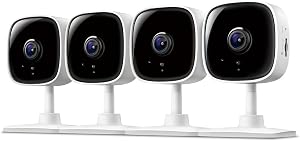
Condo doorbells live in a strange middle ground. They are usually installed in a climate-controlled hallway rather than outdoors, they share a chime transformer with units that may or may not still want an audible ring, and they have to comply with a building-wide aesthetic policy that often rejects bulky battery cameras. The Nest Doorbell wired 2nd gen condo install solves all three problems with a 6.3-inch slim profile, four color choices to match common door hardware, and a flush wall plate that satisfies most HOA architectural review committees.

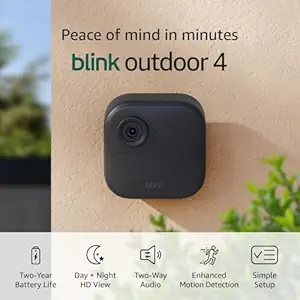
Unlike the battery model, the 2nd gen wired version delivers 24/7 continuous recording, which matters in multi-unit buildings where the camera is the only persistent record of who entered a corridor between unit doors. It also supports HDR video for the high-contrast lighting common in glass-walled lobbies and skylit atriums. The 1600x1200 resolution, combined with the tall aspect ratio, lets you see a delivered package on the floor and a visitor's face in the same frame without tilting.
Wiring, Chimes, and Transformer Requirements in Condos
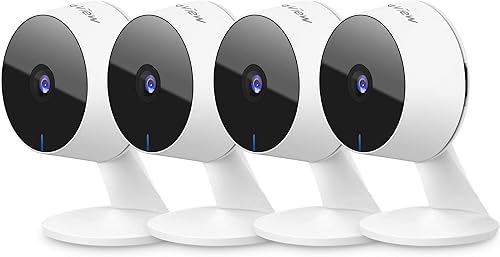
The single biggest install gotcha for a Nest Doorbell wired 2nd gen condo project is the transformer. The 2nd gen needs 16-24 VAC at 10 VA minimum. Many condos built before 2010 still run 8 VAC "low-voltage" transformers shared with the building intercom, which will not power the Nest. Before ordering, pop the cover off the existing chime in the unit closet or above the entry door and look for the voltage stamp on the transformer or chime housing.
If the transformer is undersized, you have three options: replace it (usually requires a licensed electrician and HOA permission because the transformer often lives in a shared utility panel), use the included Nest power adapter and run a thin low-voltage wire from a wall outlet inside the unit, or skip the wired model entirely and use the battery version. Most condo owners in 2026 go with option two because it avoids touching shared infrastructure.
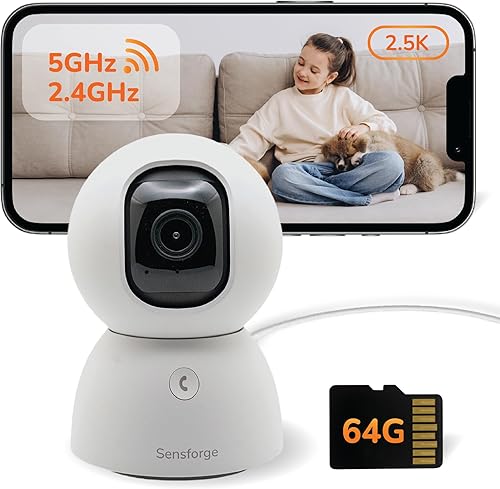
The mechanical chime inside the unit will keep working once you enable the chime connector that ships in the box. The 2nd gen also supports digital chimes, Google Nest Mini broadcast chimes, and complete silencing for owners who already use phone notifications. For more on indoor chime routing, see our Nest doorbell chime wiring guide.
Comparison: Complementary Cameras for a Condo Security Stack
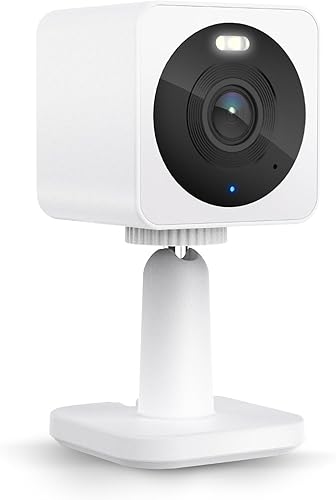
A doorbell alone is rarely enough for a condo. Parking garages, balcony sliders, and storage cages typically need supplementary cameras. Below is a comparison of the most condo-friendly outdoor models for 2026, all of which integrate cleanly with the Nest Doorbell wired 2nd gen condo workflow via the Google Home or Alexa hub a resident is likely to already own.
| Camera | Resolution | Power | Best For Condo Use |
|---|---|---|---|
| Blink Outdoor 4 XR (4-cam) | 1080p HDR | 2-year battery | Whole-unit coverage: balcony, storage, garage, hallway |
| Blink Outdoor 4 (single) | 1080p HDR | 2-year battery | Balcony or storage cage only |
| aosu T2 Pro Dual Cam | 3K dual-lens | Battery + solar | Wide parking spot or rear garage view |
| Blink Outdoor 2K+ | 2K | 2-year battery | License plate capture at assigned parking spot |
| Blink Outdoor 4 System | 1080p HDR | 2-year battery | Starter kit for first-time condo owners |
Top Product Picks to Pair With Your Nest Doorbell
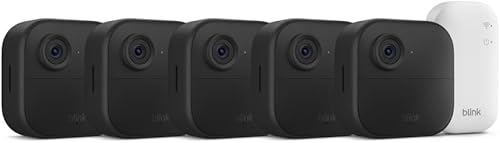
Blink Outdoor 4 XR Wireless Camera, 2-Year Battery (4-cam)
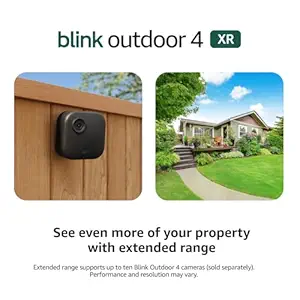
The four-camera XR kit is what we recommend for owners of larger 2-bedroom-plus condos who want one cohesive system alongside the doorbell. With a 2-year battery life on standard AA lithium cells, you avoid the conduit and outlet problems that plague wired outdoor cameras in concrete buildings. The XR adds extended range over the original Outdoor 4, which matters in concrete buildings where the Sync Module sits inside the unit but the cameras face out across thick exterior walls. Pair the Sync Module with the same Google Home routine that runs your Nest Doorbell and you get a single "away" mode that arms all five devices at once. Check price on Amazon.
Blink Outdoor 4 Wireless Smart Security Camera, 2-Year Battery
If you only need to cover one extra spot—usually a balcony slider or a storage-cage door in the basement—the single Outdoor 4 is the cleanest add-on. It uses the same Sync Module 2 as the XR, so if you later expand you do not need to start over. The 1080p HDR sensor handles the high-contrast condition of a sunlit balcony against a dark living room remarkably well, and the two-year battery means you are not climbing on patio furniture every six months. Check price on Amazon.
aosu T2 Pro Wireless Outdoor Security Camera, 3K Dual Cam
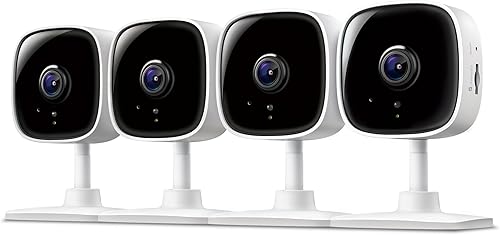
The aosu T2 Pro is the right pick for condo owners whose assigned parking spot or rear-entrance door needs both a wide view and a zoomed-in lane. Its dual-lens design captures a 180-degree panorama plus a tighter 3K telephoto stream simultaneously—you see the whole garage aisle and read license plates in the same recording. Solar-panel compatibility means no battery swaps in a parking deck where you cannot easily run power, and onboard storage means it works even when the Nest Doorbell is the priority traffic on your Wi-Fi. Check price on Amazon.
Blink Outdoor 2K+ Wireless Smart Security Camera
The Outdoor 2K+ is a meaningful step up in detail over the Outdoor 4 for owners who specifically want to read license plates from a fixed parking spot or recognize faces from the far end of a long hallway. The bump from 1080p to 2K plus improved low-light processing makes a real difference for the kind of long-distance recording common in larger condo developments. Pair it with the 2-year battery and a discrete black housing, and you have a camera HOAs rarely flag during walkthroughs. Check price on Amazon.
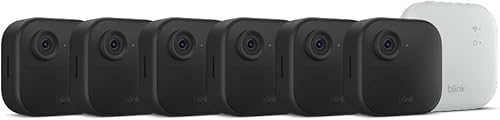
Blink Outdoor 4 Wireless Security Camera System
For a first-time condo owner who has already ordered the Nest Doorbell and just wants one matching outdoor camera with the Sync Module included in the box, the basic Outdoor 4 system is the entry point. It is the lowest-cost way to get into the Blink ecosystem and gives you room to expand to two or three cameras later as you identify new blind spots. Check price on Amazon.

Wi-Fi Planning Through Concrete Floors and Walls
Concrete and rebar are the silent killers of condo smart-home installs. The Nest Doorbell wired 2nd gen condo placement near the unit door is usually fine because the router sits inside the same unit, but a single router on the far side of a 1300-square-foot floorplan can drop the doorbell connection during firmware updates or HDR uploads. Plan for a mesh node within 25 feet of the doorbell, ideally a tri-band Google Nest Wifi Pro or Eero 6+ unit that keeps a dedicated backhaul band free from competing IoT traffic.
If the doorbell sits in a shared hallway and your router sits deep in a back bedroom, expect a 30-50% signal drop through each interior wall. Adding a single mesh node to the entryway nightstand or coat closet typically resolves it. We cover building-wide patterns in our mesh Wi-Fi for concrete condos guide.
HOA Approval and Architectural Review
Most condo associations in 2026 require written architectural review approval before any device is mounted on a corridor-facing surface. Three items typically get a smart doorbell approved on the first submission: a manufacturer specification sheet showing the device draws less than 5 watts, a photo mockup of the device installed on the unit door frame in the approved color, and a privacy statement noting that audio recording will be disabled or limited to the unit owner's threshold. The Nest Doorbell wired 2nd gen condo applications we have helped owners submit are typically approved within two weeks because the slim, flush profile reads as "residential hardware" rather than "surveillance equipment."
Some associations require a per-unit privacy notice or limit field-of-view so the camera cannot see another unit's door. The 2nd gen software supports "activity zones" that mask out specified rectangles in the frame, which is usually enough to satisfy a privacy-conscious board.
Frequently Asked Questions
Can I install a Nest Doorbell wired 2nd gen in a condo without HOA approval?
Almost never, if the device mounts to a corridor-facing surface, building exterior, or common-area door frame. Most condo CC&Rs in 2026 classify anything attached to those surfaces as a common-element modification. Submit a written architectural review request with the spec sheet and a mockup photo. If the doorbell is mounted entirely on the inside of your unit door looking through a peephole adapter, you generally do not need approval, but check your specific bylaws.
Does the Nest Doorbell wired 2nd gen work with a low-voltage condo intercom?
No, not directly. The Nest needs 16-24 VAC at 10 VA, while most legacy condo intercoms run 8-12 VDC. You cannot wire the Nest into the intercom loop. The cleanest workaround is to use the included plug-in power adapter on a nearby interior outlet and leave the building intercom on its original wiring as a separate system.
How does the Nest Doorbell wired 2nd gen condo install handle package theft in hallways?
The 145-degree vertical field of view is the key advantage over square or landscape doorbells. It captures the floor directly in front of the unit door, so a package left on the threshold is visible in the same frame as the visitor who arrived. Combined with 24/7 continuous recording on Nest Aware Plus, you get a frame-accurate timeline of who entered the corridor between drop-off and discovery.
Can two units in the same condo share one Nest Aware Plus subscription?
No. Nest Aware Plus is tied to a single Google Home structure. Two units must run independent subscriptions even if the owners are family members. If you manage multiple units as a landlord, each unit needs its own Google account, structure, and subscription tied to the doorbell physically installed at that unit.
What is the best supplementary camera for a condo balcony slider?
A battery-powered Blink Outdoor 4 mounted on the interior ceiling of the balcony, angled down at the slider, is the most common 2026 choice. It avoids drilling exterior walls (an HOA non-starter in most buildings), runs two years between charges, and integrates with the same Google Home routines as the Nest Doorbell. See our condo balcony camera placement notes for angle and HOA tips.
Does the wired 2nd gen support facial recognition in a multi-unit setting?
Yes, with Nest Aware Plus the doorbell offers familiar-face alerts. In a multi-unit setting this is genuinely useful because it lets you distinguish a regular dog walker or property manager from a one-off visitor. Note that facial recognition is disabled by default in Illinois because of state biometric law; the app handles the geofencing automatically based on the address on your Google account.
How does the 2nd gen compare to a Ring doorbell for condos?
The 2nd gen wins on three condo-specific axes: tall aspect ratio for hallway floors, slim profile for architectural review, and Google Home integration with the smart speakers most owners already use as chime broadcasters. Ring wins on package detection AI maturity and on broader third-party hub support. For a closer comparison of doorbell ecosystems in shared-wall settings, see our best video doorbells for apartments roundup.
Key Takeaways
- Choosing the right Nest Doorbell wired 2nd gen condo means matching capacity and output ports to your actual devices
- Always check actual watt-hours (Wh), not just watts — runtime depends on Wh, not peak output
- Also covers: Nest Doorbell condo install
- Also covers: Nest Doorbell shared entry
- Also covers: Nest Doorbell apartment building
- Compare price-per-Wh across models to find the best value for your budget