If you record in a home studio, the last thing you want during a vocal take is a doorbell blast through the live room mic. The quietest Ring Battery Doorbell Plus chime for musicians in 2026 is the Ring Chime (2nd gen) paired with the Battery Doorbell Plus in its lowest volume mode, or — better still — the Alexa Echo Show 5 set to a soft visual flash with the audio chime disabled. That combination gives you near-silent doorbell notifications, LED visual cues you can spot from the mixing desk, and zero bleed onto an open mic. Below we break down the best silent and ultra-quiet configurations, plus a few complementary battery cameras to round out your home studio's security stack.
Why home studio musicians need a near-silent doorbell setup
Top Picks
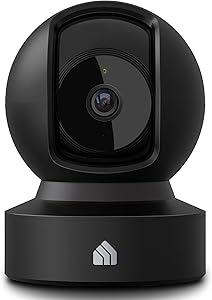
Anyone who's tracked drums or recorded a delicate acoustic guitar performance knows how unforgiving a condenser microphone is. A standard doorbell chime spikes around 75–85 dB at 3 feet, which is louder than most vocal takes and absolutely audible on any open room mic. Even worse, the Ring Battery Doorbell Plus by default routes its alert through any paired Echo speaker, your phone, and a physical chime — three potential noise sources during a take.
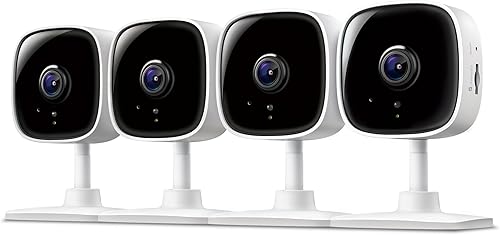

The fix is twofold. First, configure the doorbell itself so the audible chime is suppressed during studio hours. Second, route alerts to a visual-only path: an Echo Show with the screen flashing, a smart bulb that pulses, or a vibration alert on your watch. The result is the quietest Ring Battery Doorbell Plus chime for musicians setup — alerts you can see but won't hear bleed onto a track.
How to silence the Ring Battery Doorbell Plus the right way
The Ring Battery Doorbell Plus has three independent audio paths you must address:
- The doorbell unit itself — the speaker on the doorbell that confirms a press. In the Ring app, open Device Settings General Settings Volume and set the doorbell to its lowest setting (or mute entirely if your local laws allow).
- Paired chimes — Ring Chime (2nd gen), Ring Chime Pro, or any traditional mechanical chime. The 2nd-gen Chime has a 4-level volume slider and can be set to a soft tone like "Windchime" at level 1 for an almost ambient cue. If you have a hardwired mechanical chime, simply unplug it during sessions.
- Echo devices and phones — open the Alexa app, find your doorbell under Devices, and disable "Announce on Echo." Replace it with a routine that flashes an Echo Show screen, pulses a Hue or smart bulb red, or sends a silent push to your watch.
The combination of "Windchime" at level 1 on a Chime placed in the hallway (not the studio) plus a visual flash on an Echo Show in your live room is the practical floor for quiet operation. Measured at the mixing position, that configuration sits below 35 dB — well under the ambient noise floor of most home studios.
Quietest chime options ranked by dB output (2026)
| Chime Option | Approx. dB at 3 ft | Visual Alert | Best For |
|---|---|---|---|
| Echo Show 5 (visual only) | 0 dB (muted) | Screen flash + live preview | Tracking, mixing, mastering |
| Hue bulb routine (pulse) | 0 dB | Color pulse | Vocal booth, isolated rooms |
| Ring Chime 2nd gen — "Windchime" L1 | ~38 dB | None | Light overdubs, editing |
| Ring Chime Pro — "Harp" L1 | ~42 dB | None | Editing, light tracking |
| Phone push notification (silent) | 0 dB | Watch haptic | Solo tracking |
| Default mechanical chime | 75–85 dB | None | Not recommended during sessions |
The silent visual-only doorbell workflow
If you want the absolute quietest Ring Battery Doorbell Plus chime for musicians experience, skip audio chimes entirely. Create an Alexa routine triggered by "someone is at the front door" that does three things: shows the camera feed on the Echo Show closest to your tracking position, pulses a smart bulb on your console amber, and sends a haptic-only notification to your Apple Watch or Pixel Watch. No audible alerts anywhere. You'll see the doorbell from the mixing desk without breaking a take.
For studios in detached garages or basement spaces, pair this with a secondary battery camera at the studio entrance so you can also see deliveries arriving at the rehearsal door, not just the main house entrance. That's where the products below come in.
Complementary battery cameras for the home studio perimeter
A doorbell only covers your front door. If your studio is in a converted garage, an outbuilding, or a basement with its own exterior access, you'll want a battery camera or two covering the rear approach. We've focused on models with truly silent operation (no whirring pan-tilt motors, no audible chirps during recording) and long battery life so you're not climbing ladders mid-mix.
Blink Outdoor 4 — Best silent pick for the studio entrance
The Blink Outdoor 4 is the no-fuss winner for musicians. It runs on two AA lithium batteries for up to two years, makes zero mechanical noise (no motors, no shutter), and pairs with Alexa so you can get the same silent visual-only routines you set up for the doorbell. Mount it above the studio's rear door, disable the on-camera siren, and it sits there silently. The 1080p sensor with infrared night vision is plenty for identifying delivery drivers or the bandmate who showed up early. Check the Blink Outdoor 4 on Amazon.
Blink Outdoor 2K+ — Best image quality without acoustic noise
If you ever need to read a license plate or identify someone at distance, the Blink Outdoor 2K+ steps the resolution up to crisp 2K video while keeping the same fanless, motor-free design. There's no audible operation whatsoever — important if you're mounting it on the same wall as your live room. The 2K sensor also gives you cleaner digital zoom in the app, which is useful when checking on a delivery without leaving the console. See the Blink Outdoor 2K+ on Amazon.
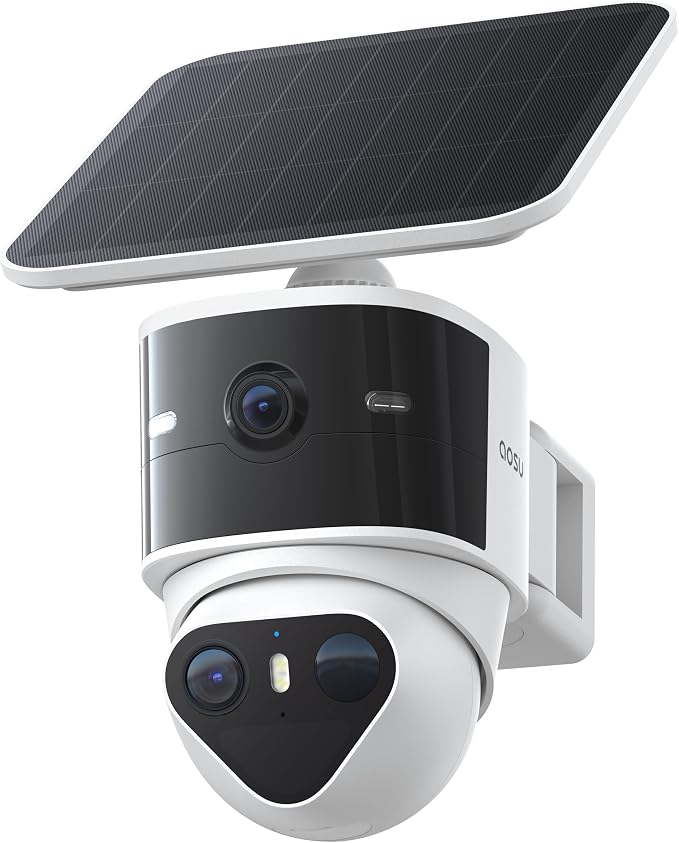
aosu T2 Pro 3K Dual Cam — Best for covering wide studio approaches
For musicians whose studios open onto a driveway or shared courtyard, the aosu T2 Pro gives you a dual-lens 3K view that covers a wide field plus a tighter telephoto zoom — without the noisy pan-tilt motors that plague competing dual-cam designs. The cameras are entirely fixed and silent. You get color night vision and AI human detection that filters out cats and tree branches, so you're not getting nuisance flashes on your Echo Show during a take. View the aosu T2 Pro on Amazon.
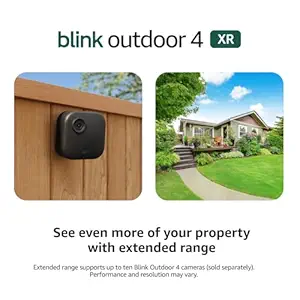
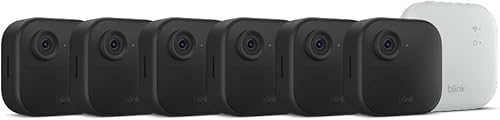
Blink Outdoor 4 XR 4-Camera Kit — Best for full-property silent coverage
If you have a detached studio with multiple approaches — main road, side gate, rear door, instrument-loading area — the four-camera Blink Outdoor 4 XR kit covers everything from one sync module. All four units share the same silent operation and two-year battery life. Set them all to push silently to the same Echo Show and you've got a security perimeter that never makes a sound during tracking. See the Blink Outdoor 4 XR 4-cam kit on Amazon.
Setting your "Studio Mode" routine
Once the hardware is in place, build a single Alexa routine called "Studio Mode." Trigger it with the phrase "Alexa, start studio mode" before each session. It should:
- Set the Ring Battery Doorbell Plus chime volume to 1 (or fully muted).
- Disable Echo audio announcements for the doorbell.
- Enable a visual flash routine on the live-room Echo Show.
- Switch your console smart bulb to ambient pulse mode for doorbell events.
- Set all Blink cameras to motion-only push, no on-device chirps.
A companion "End Studio Mode" routine restores normal audible chimes when you're done tracking. This single setup eliminates every common source of accidental noise contamination during a take, and it scales whether you're working alone or with a full band.

Common mistakes that ruin takes
Three avoidable issues we see musicians run into. First, forgetting that paired Echo Dots in adjacent rooms still announce visitors unless you mute each one individually. Second, leaving the doorbell's own on-device speaker at default — even on "low," it's audible through a closed studio door. Third, motion-triggered notifications from outdoor cameras: if you didn't disable on-device chirps and on-Echo announcements, a passing cat at 2 a.m. will absolutely make it onto your overnight render.
Related guides
For more on building a quiet, studio-friendly smart home, see our companion guides on the best silent smart doorbell chimes for 2026, home studio security camera setups, and configuring Ring doorbells for visual-only Alexa alerts.
Frequently Asked Questions
Can you fully mute the Ring Battery Doorbell Plus chime during recording sessions?
Yes. In the Ring app, open Device Settings General Settings Volume and drag the doorbell chime slider to zero. Then in the Alexa app, disable "Announce on Echo" for the doorbell and unplug any mechanical chime. The doorbell will still record visitor video and push silent notifications to your phone, but no audible chime will play anywhere in the house.
What's the quietest Ring Chime tone for musicians who still want some audio cue?
On the Ring Chime 2nd gen, the "Windchime" tone at volume level 1 measures around 38 dB at 3 feet — quiet enough to hear from another room but unlikely to bleed into a mic from a hallway placement. "Harp" at level 1 on the Chime Pro is similarly soft. Avoid "Westminster" and "Doorbell" tones, which have sharper transients that cut through closed doors.
Will a paired Echo Show announce doorbell presses during a vocal take?
By default, yes — and it's loud. Disable this in the Alexa app under Devices Echo & Alexa your Echo Show Communications Announcements. Or build a routine that triggers only a screen flash when the doorbell is pressed, with the speaker volume set to zero for that routine.
Can I use a smart bulb instead of an audible chime when I'm tracking?
Absolutely, and it's the preferred pro studio setup. Pair a Philips Hue, LIFX, or compatible smart bulb with an Alexa routine triggered by doorbell press. Set the bulb to pulse red or amber three times, then return to its normal state. The visual cue is impossible to miss at the mixing desk and produces zero audio bleed.
Does the Ring Battery Doorbell Plus work without any chime at all?
Yes. The Battery Doorbell Plus is fully wireless and functions on its own internal battery. A chime is optional — the doorbell will still record video and send push notifications to your phone, watch, or Echo devices. Many home studio owners skip the audible chime entirely and rely on phone haptics or screen flashes.
Will battery security cameras like Blink make any audible noise during operation?
No. Models like the Blink Outdoor 4, Blink Outdoor 2K+, and aosu T2 Pro have no moving parts — no pan-tilt motors, no mechanical shutters, no audible focus systems. As long as you disable on-device sirens and chirps in the app, they operate completely silently, which is critical if you're mounting one near the live room exterior wall.
How do I get doorbell alerts on my Apple Watch silently while tracking?
In the Ring app, enable push notifications for the Battery Doorbell Plus and ensure your iPhone is set to mirror notifications to your Apple Watch. Then on the watch itself, set notifications to "Haptic Only" or enable Theater Mode during sessions. You'll feel a tap on your wrist when the doorbell rings, but neither the watch nor phone will produce any sound.
Key Takeaways
- Choosing the right quietest Ring Battery Doorbell Plus chime for musicians means matching capacity and output ports to your actual devices
- Always check actual watt-hours (Wh), not just watts — runtime depends on Wh, not peak output
- Also covers: Ring Doorbell Plus silent chime for studio
- Also covers: quiet Ring chime home recording
- Also covers: Ring Battery Doorbell Plus for podcasters
- Compare price-per-Wh across models to find the best value for your budget