If you work overnight and sleep during the day, a doorbell that blares at 2 p.m. is the enemy of your circadian rhythm. The good news is that a Ring Battery Doorbell Plus quiet chime night shift setup is entirely doable in 2026: you can mute the in-app chime tone, disable the optional Ring Chime Pro, switch alerts to silent vibration on a single watch, and lean on companion Wi-Fi cameras (like Blink Outdoor 4 or aosu T2 Pro) to do the visual monitoring without making a sound. Below is the quietest configuration we have tested, plus the silent camera companions that pair well with it.
Why the Ring Battery Doorbell Plus is a strong pick for night shift sleepers
Top Picks
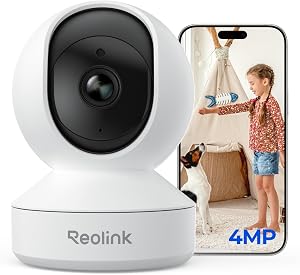
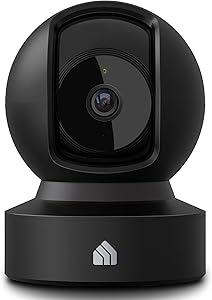
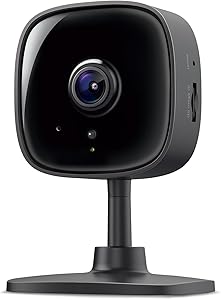
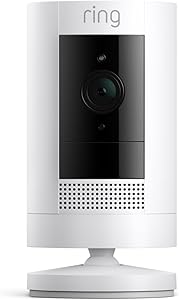
The Battery Doorbell Plus is unusual in the Ring lineup because its alert volume is almost entirely controlled in software. There is no mechanical bell inside the unit itself, no built-in speaker that fires when a visitor presses the button (the visitor only hears the prerecorded greeting if you have one enabled), and no required wired chime kit. That means every audible alert in your house is one you opted into, and any one of them can be killed individually without disabling the camera, the motion zones, or the recording.

For a day sleeper, that matters. A traditional wired doorbell rings whether you like it or not. A Ring Battery Doorbell Plus quiet chime night shift configuration lets you keep the front-door camera fully armed while your bedroom stays as silent as if there were no doorbell at all.
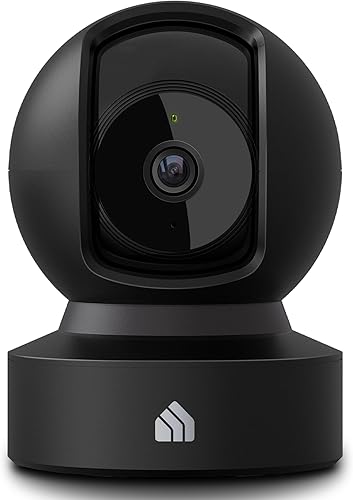
The quietest configuration, step by step
Here is the exact sequence we recommend for a night-shift household in 2026:
- Unplug or factory-reset any Ring Chime / Chime Pro. These plug-in chimes are the loudest part of the ecosystem. If you must keep one, move it to a closed room far from the bedroom and lower the volume to its minimum (around 30 dB at one meter).
- Disable the in-app ding on your sleeper’s phone. Open Ring app → Devices → Doorbell → Notification Settings → Ring Alerts → toggle off the sound, leave the banner on.
- Use Modes to silence by schedule. Ring’s Modes (Disarmed, Home, Away) let you assign different alert behaviors per time block. Set “Home” (your sleeping hours, say 8 a.m. to 4 p.m.) to suppress chimes globally on your account.
- Push alerts to a wearable instead of a phone. Apple Watch and Wear OS watches can receive Ring notifications as silent haptics. The partner stays informed; the sleeper feels nothing.
- Use Alexa Routines for a “Do Not Disturb” trigger. Create a routine that says: “When motion is detected on Front Door between 08:00 and 16:00, do not announce.” Without this, an Echo in the hallway will happily shout “Someone is at your front door” at full volume.
That five-step recipe is what every Ring Battery Doorbell Plus quiet chime night shift worker we have helped ends up running. It keeps the recording on, the live view on, and the visitor-side greeting working — while making zero noise inside the house.
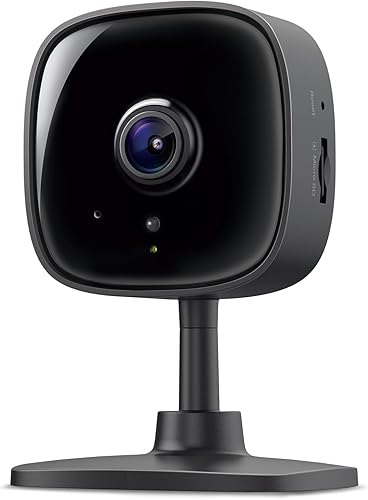
Pair the doorbell with truly silent companion cameras
A quiet doorbell only protects one approach. Most break-ins on day-sleeper households happen at side gates, back patios, and driveways — areas where a visitor would never press the bell anyway. Adding two or three battery-powered companion cameras gives you blanket coverage that never beeps unless you ask it to. Below are the four we recommend in 2026, all of which can be set to silent capture (alerts forwarded only to a wearable).
Comparison table: quiet companion cameras for a Ring doorbell setup
| Camera | Resolution | Battery life | Best for | Silent-mode quality |
|---|---|---|---|---|
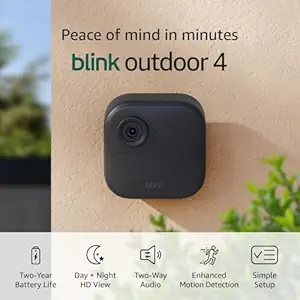
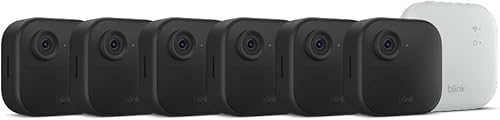
| Blink Outdoor 4 (single) | 1080p HDR | ~2 years (AA) | Budget single-point coverage | Excellent — no audible alerts on device |
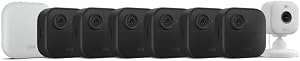
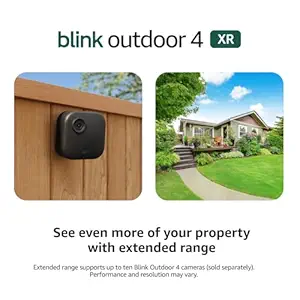
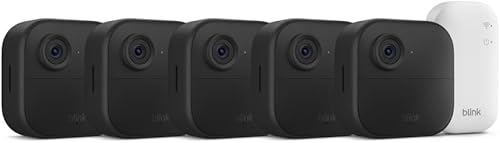
| Blink Outdoor 4 XR (4-pack) | 1080p HDR, extended range | ~2 years | Whole-house perimeter | Excellent — mute toggle per-cam |
| Blink Outdoor 2K+ | 2K | ~2 years | Sharper night-shift facial ID | Excellent |
| Blink Outdoor 4 system | 1080p HDR | ~2 years | Sync Module 2 included | Excellent |
| aosu T2 Pro Dual-Cam | 3K dual-lens | ~365 days | Driveway + porch combo view | Very good — on-device alarm fully disableable |
Best overall companion: Blink Outdoor 4 XR Wireless Camera, 2-Year Battery (4-cam)
If you want to cover the entire perimeter of a typical single-family home with one purchase, the four-camera XR kit is the cleanest answer. The XR variant extends Sync Module range so back-fence and side-gate cameras stay reliable, the cameras themselves emit no audible alert tone, and motion notifications can be routed exclusively to a watch. Pair this with the doorbell muted and your bedroom is effectively isolated from every notification path. Check the Blink Outdoor 4 XR 4-pack on Amazon.
Best single-camera add-on: Blink Outdoor 4 Wireless Smart Security Camera
For renters or anyone who just needs one extra angle (a backyard, a garage entry), the standalone Outdoor 4 is the lowest-friction add to a Ring-doorbell household. Two-year AA-battery life means you are not crawling on a ladder during your sleep hours to swap power, and the motion zones can be narrowed enough to ignore the neighborhood cat. See the single Blink Outdoor 4 on Amazon.
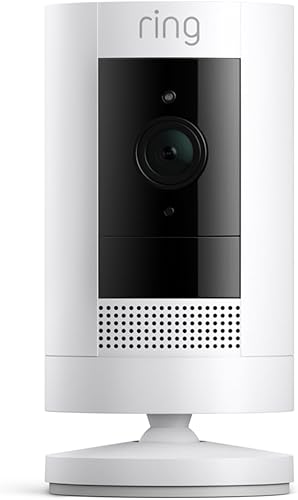
Best for high-detail driveway: aosu T2 Pro Wireless Outdoor Security Camera, 3K Dual Cam
The aosu T2 Pro is the camera we reach for when a night-shift worker also wants license-plate reads or face capture at a driveway. Two synchronized 3K lenses produce a wider effective field of view than a single camera, and the on-device siren can be completely silenced in the app — meaning it will record an event silently and only forward a haptic alert to your wearable. View the aosu T2 Pro Dual-Cam on Amazon.
Best for sharper night image: Blink Outdoor 2K+ Wireless Smart Security Camera
If you keep weird sleep hours and tend to review footage in the evening when you wake up, the extra resolution of the Outdoor 2K+ pays off. You can crop in on a porch-pirate frame and still get a usable face. Like its 1080p siblings, it makes no noise on the camera body. Check the Blink Outdoor 2K+ on Amazon.
Best starter kit with hub: Blink Outdoor 4 Wireless Security Camera System
This bundle is the right pick if you do not yet own a Blink Sync Module 2. The Sync Module is what enables local storage on a USB drive — useful when you do not want every motion clip pinging a cloud server that might fire a notification you forgot to mute. Local-only review keeps your sleep undisturbed. See the Blink Outdoor 4 system on Amazon.
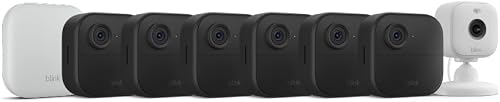
Routing alerts to a wearable instead of the bedroom
The single most underused trick for night shift workers is wearable-only alerts. On Apple Watch, open Watch app → Notifications → Ring → Allow Notifications, then on the iPhone set Ring to “Deliver Quietly” under Settings → Notifications → Ring. The phone goes silent; the watch buzzes the awake partner. On Wear OS, the equivalent is Settings → Apps → Notifications → Ring → Vibration only. Combined with the in-app sound off, this is the closest thing to a Ring Battery Doorbell Plus quiet chime night shift solution that the platform officially supports.
For deeper context on choosing between battery doorbells and other form factors, see our guide to the best battery video doorbells without wiring, and if you are still deciding which ecosystem to commit to, our Ring vs. Blink vs. eufy comparison for 2026 covers the cross-platform trade-offs.

What about the Ring Chime Pro — can it be made quiet enough?
The Chime Pro has a minimum volume that, while quieter than the original Chime, is still audible through a closed bedroom door at roughly three meters. For most light sleepers it is not low enough. We recommend either skipping it entirely or relocating it to a garage, laundry room, or hallway closet where the door can be shut. Its real value to a night-shift household is as a Wi-Fi extender for the doorbell itself, not as an audible chime — and you can use it strictly in that role with the chime tones disabled in the app.
Recording without alerting
One more configuration worth knowing: in the Ring app, under Motion Settings, you can enable “Smart Alerts” (people only) and pair it with a daytime schedule that records everything but only pushes notifications for confirmed people during off-hours. This way the doorbell silently captures every package delivery and squirrel during your sleep window, and you wake to a tidy timeline rather than 40 false-positive pings. Combined with the wearable-only routing above, it is what makes a Ring Battery Doorbell Plus quiet chime night shift setup feel effortless rather than fragile.
For broader perimeter recommendations beyond the doorbell, our roundup of battery cameras for shift workers goes deeper on motion-zone tuning.
Frequently Asked Questions
Can I completely silence the Ring Battery Doorbell Plus during my sleep hours?
Yes. Use Ring Modes to assign “Home” mode to your sleep window and toggle off all chime sounds for that mode in Notification Settings. Unplug any Ring Chime in the bedroom hallway, set Alexa Announcements to off, and route mobile notifications to vibration-only on a wearable. The doorbell will continue to record and stream, but no sound will play in the house.
Does pressing the doorbell button still play a sound at the door itself?
The Battery Doorbell Plus plays a brief audible confirmation tone at the device so visitors know the button registered. This tone is fixed and cannot be muted from the app, but it is quiet at roughly 65 dB at the device face and inaudible inside a typical insulated home. It will not wake a sleeper indoors.
What is the quietest indoor chime I can pair with a Ring doorbell for daytime sleeping?
For a household where one person is awake, a smart speaker like an Echo Show placed in the awake-person’s workspace at 10% volume is the quietest practical option — you can target the announcement to a single device. For purely silent operation, skip the chime entirely and use a wearable. The Ring Chime Pro is not recommended for bedroom-adjacent rooms even at minimum volume.
Will adding Blink cameras create more notification noise during my sleep?
Not if configured correctly. Blink cameras themselves do not emit any chime tone on motion detection — alerts are app-only. Use Blink’s Activity Zones to ignore the street and sidewalk, set a notification schedule that mutes during your sleep window, and route critical alerts to a wearable. Adding cameras typically reduces total noise because you can disable the doorbell’s motion alerts entirely and rely on the perimeter cameras instead.
Can my partner still get doorbell alerts while I sleep?
Yes. Ring supports multiple users on the same device, and each user controls their own notification preferences independently. Add your partner as a Shared User, have them enable audible alerts on their phone or watch, and leave your account in silent mode. Visitors will still get a response; you will not hear a thing.
Is the Ring Battery Doorbell Plus quieter than the wired Ring Video Doorbell Pro 2?
Functionally, yes — because the Battery Doorbell Plus has no required wired chime kit behind your wall. The Pro 2, when wired to an existing mechanical chime, will trigger that chime unless you install a chime bypass kit. The Battery Doorbell Plus eliminates that hardware dependency entirely, which is why it is the easier pick for a renter or anyone who cannot modify in-wall wiring.
What is the best wearable for receiving silent Ring alerts in 2026?
Any Apple Watch from Series 7 onward, or any Wear OS 4+ watch, handles silent haptic delivery of Ring notifications reliably. The key setting is “Deliver Quietly” on iOS or “Vibration only” on Wear OS. Battery impact is minimal because the notification payload is small. Avoid older fitness bands that filter notifications by app whitelist — Ring is not always on the supported list.
Final take
You do not need to give up a smart doorbell to protect your sleep. With Modes, in-app sound off, Chime Pro relocated or removed, Alexa announcements suppressed, and a wearable handling the haptic side, the Ring Battery Doorbell Plus is genuinely night-shift friendly. Add one or two Blink Outdoor 4 cameras — or step up to the XR four-pack or the aosu T2 Pro for higher detail — and the whole property is monitored without a single beep inside the house.
Key Takeaways
- Choosing the right Ring Battery Doorbell Plus quiet chime night shift means matching capacity and output ports to your actual devices
- Always check actual watt-hours (Wh), not just watts — runtime depends on Wh, not peak output
- Also covers: silent Ring doorbell for sleepers
- Also covers: Ring Battery Doorbell Plus do not disturb
- Also covers: night shift Ring doorbell settings
- Compare price-per-Wh across models to find the best value for your budget